UX CASE STUDY
Juniper Market
B2B market for International Market Centers (now ANDMORE)
Summary
JuniperMarket is the online B2B marketplace for International Market Centers, helping exhibitors expand their reach to a wider buyer audience. I was responsible for designing key pages—including the All Brands landing, brand list, JuniperCredit, and Our Market pages—while working within a tight deadline.
My role
UX/UI Designer & research
The team
1 UX Designer, 1 Product Owner, Engineers
Tools
Sketch, Zeplin, Adobe CC, Jira, and Confluence
Timeline
2 months while working on other projects for the market sites
Business constraints
1 Designer
Not enough time for research
Stringent timelines
Business requirements
01
Quick competitive analysis
02
The All Brands listing page
The All Brands listing page
03
The JuniperCredit marketing page
The JuniperCredit marketing page
04
The Our Markets marketing page
Project lifecycle
01
Gather requirements from the product owner
02
Competitive analysis
03
Design of the All Brands landing and list pages
04
Design of the Our Markets marketing page
05
Design of the JuniperCredit marketing page
06
Hand-off and collaboration with developers
Research
I did a quick competitive analysis of B2B sites like Faire to see how they handled listing and landing pages. This helped me spot areas where our filtering component could be improved. Based on those insights, I made design updates to streamline the functionality and improve the overall user experience.
All Brands landing page
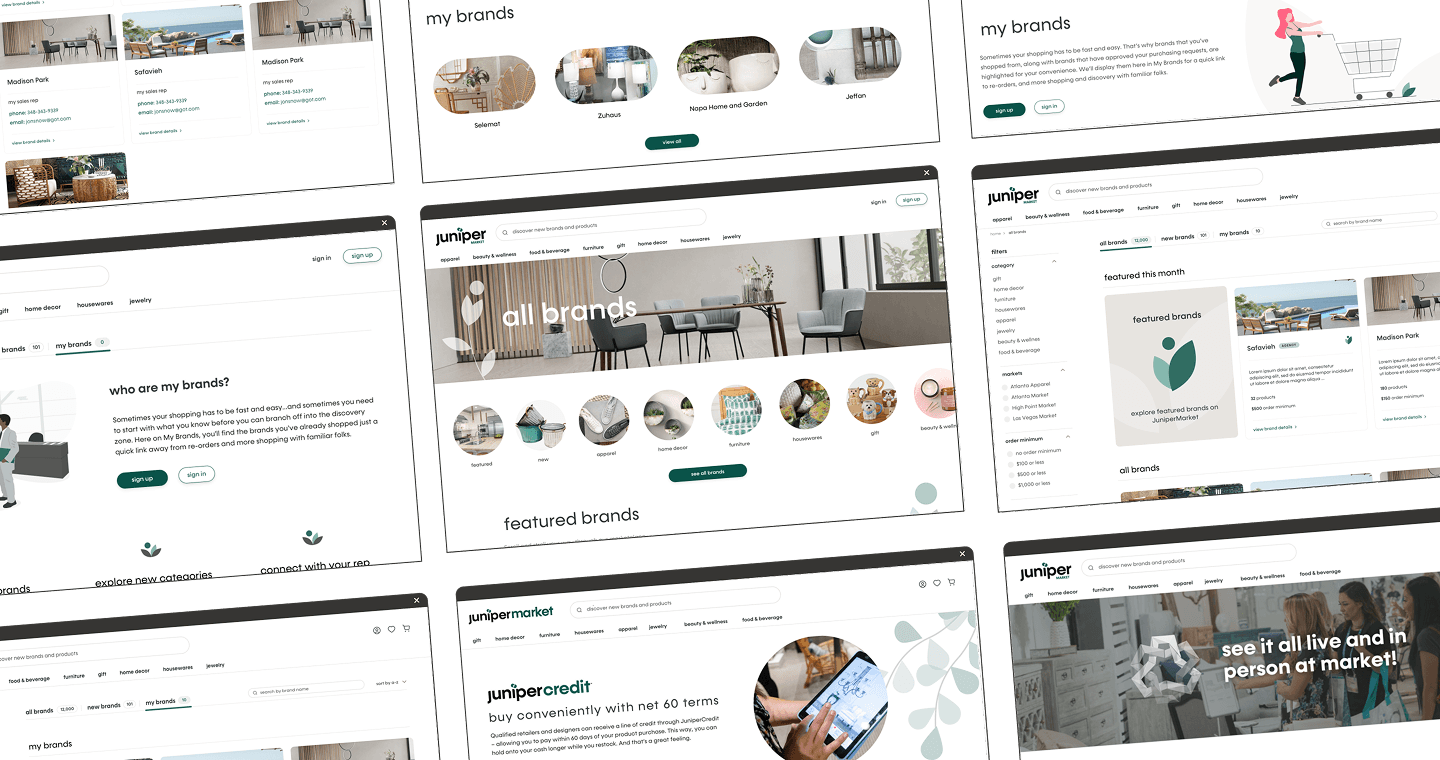
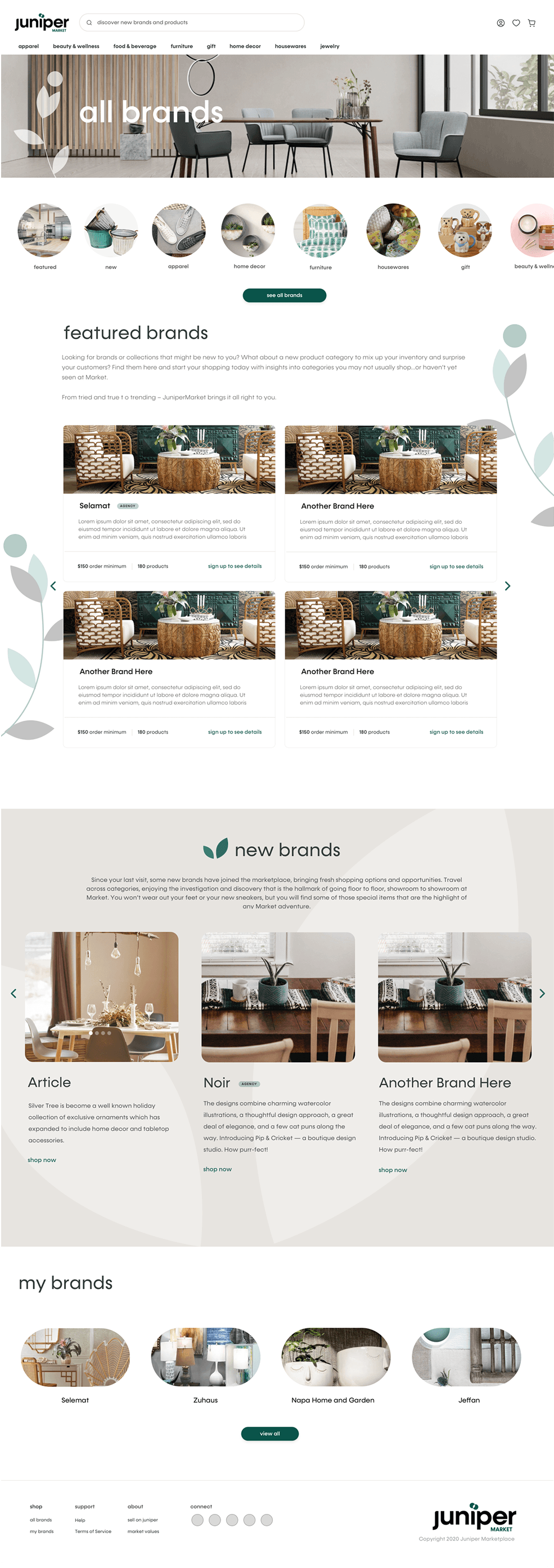
The goal was to create a comprehensive landing page showcasing all exhibitor brands in one place. Designed to give users a quick overview of brand categories and drive traffic to the full brand list pages, the page also highlights key JuniperMarket info and features clear calls to action. Users are encouraged to explore featured brands, view their saved favorites, or browse the full list. Once signed in, they see a personalized “My Brands” section with a snapshot of their saved brands and a link to view them all on the dedicated list page.

Mobile version
All Brands landing page
All Brands list page
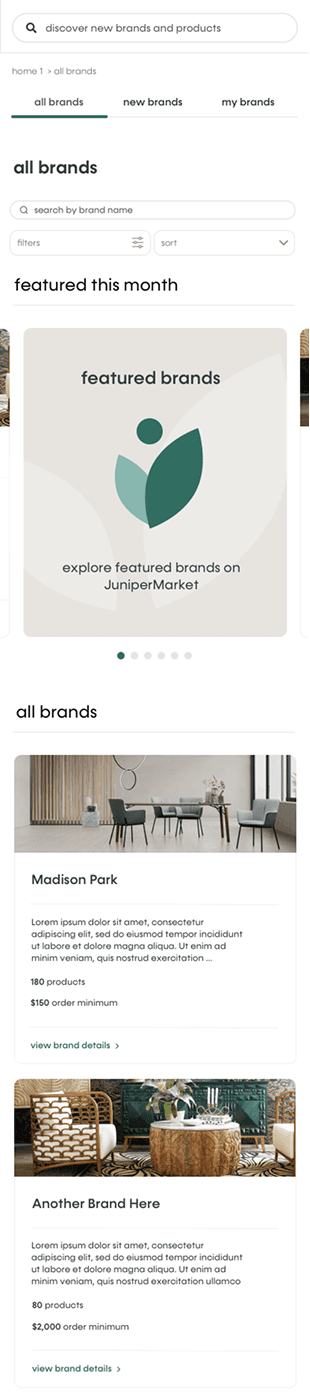
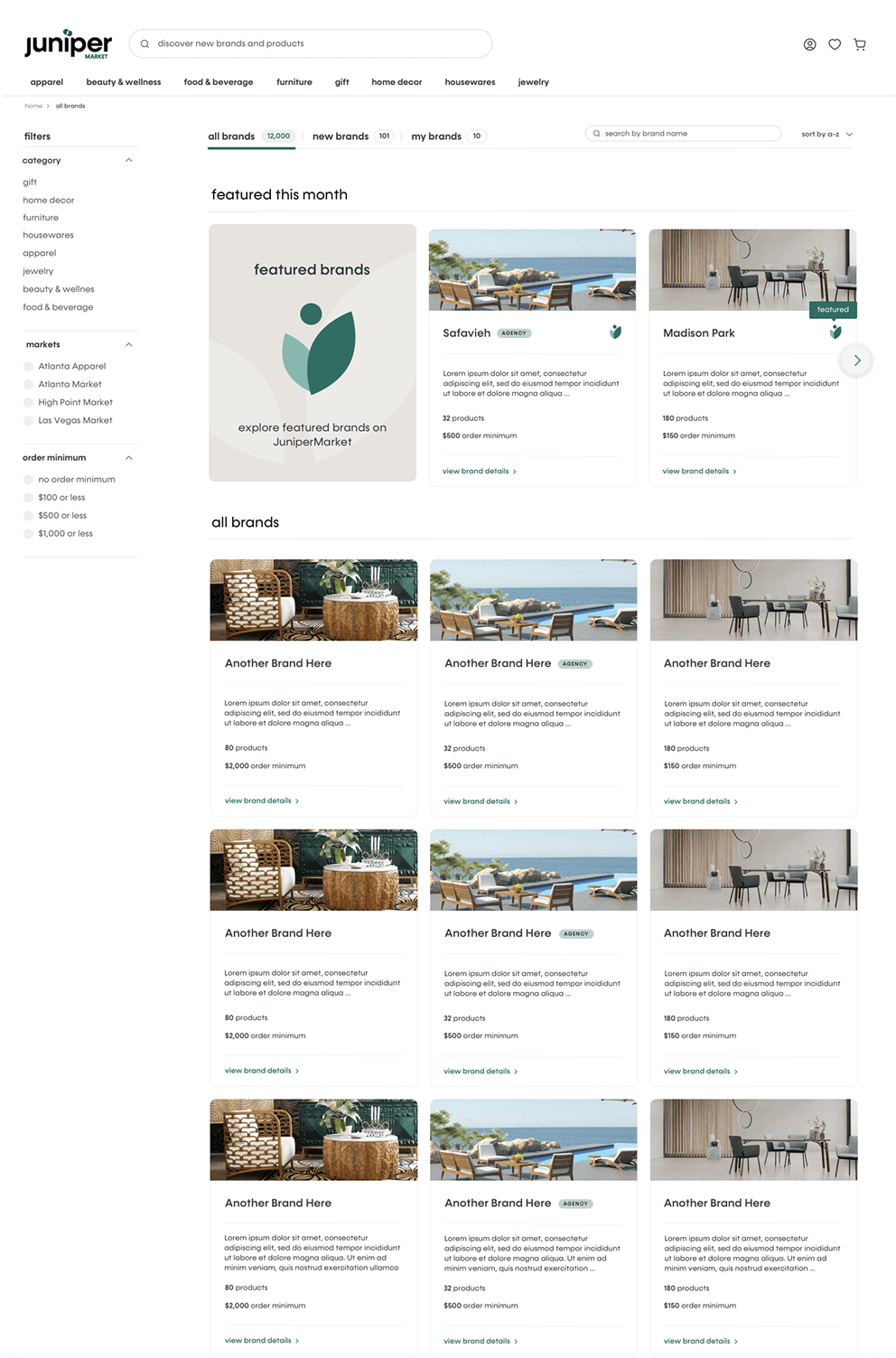
The list page functions as a user-friendly exhibitor catalog, allowing buyers to browse a wide range of brands with filters for categories, markets, and order minimums. It includes tabs for "All Brands," "New Brands," and "My Brands" to help users quickly find what they're looking for.
All Brands list page
The list page functions as a user-friendly exhibitor catalog, allowing buyers to browse a wide range of brands with filters for categories, markets, and order minimums. It includes tabs for "All Brands," "New Brands," and "My Brands" to help users quickly find what they're looking for.

Mobile version
All Brands list page
Mobile version
All Brands list page
Mobile version
All Brands list page
Mobile version

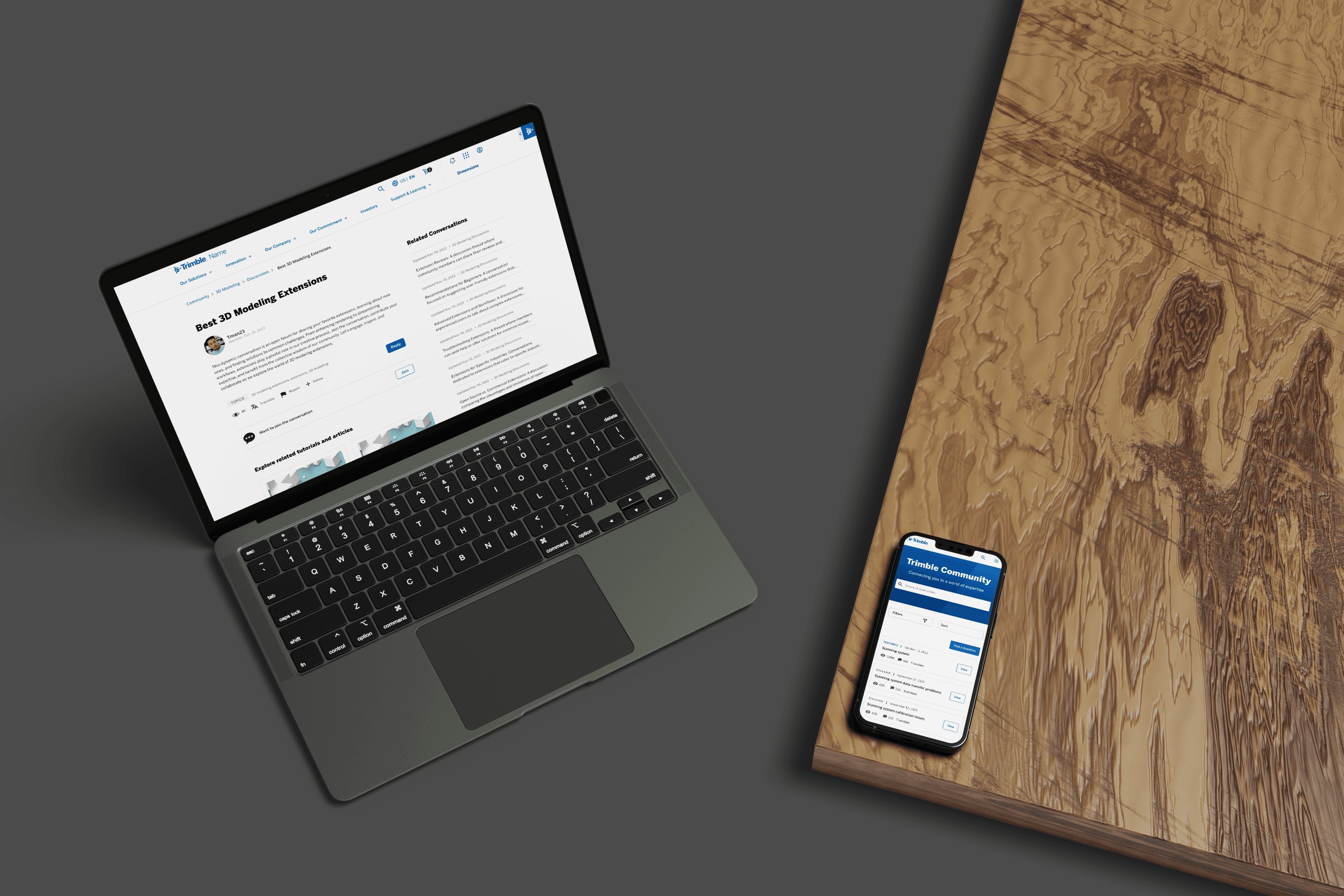
User follows conversations and gets support via the community on Trimble.com.
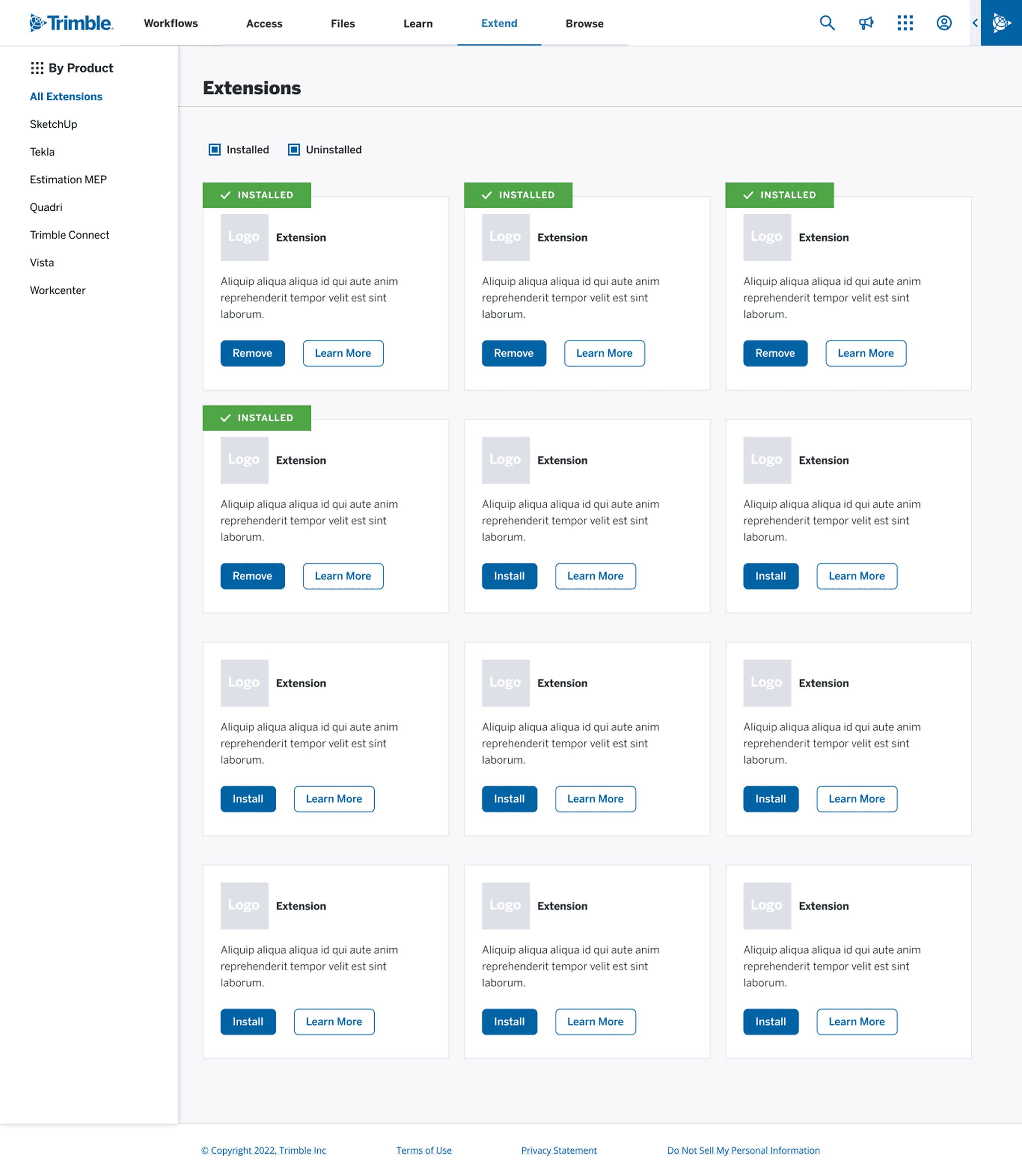
User has access to extensions for her 3D software.
Scene 3 concepts
Persona: an IT Sec Ops & Support person IT Admin (internal)
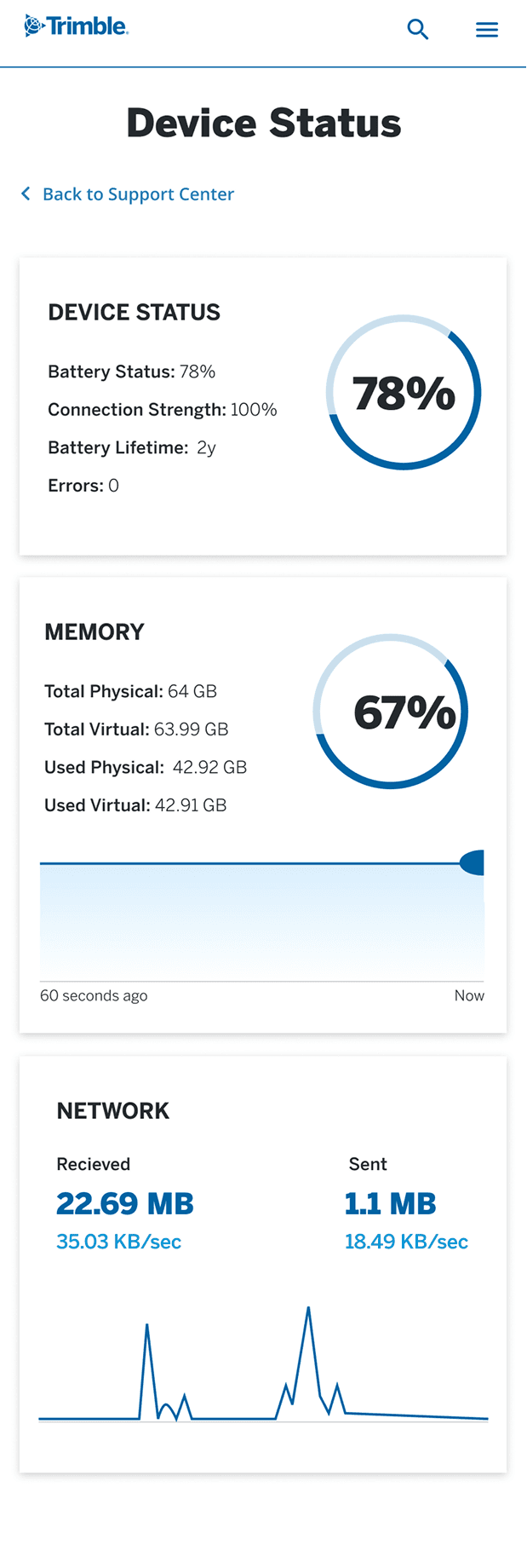
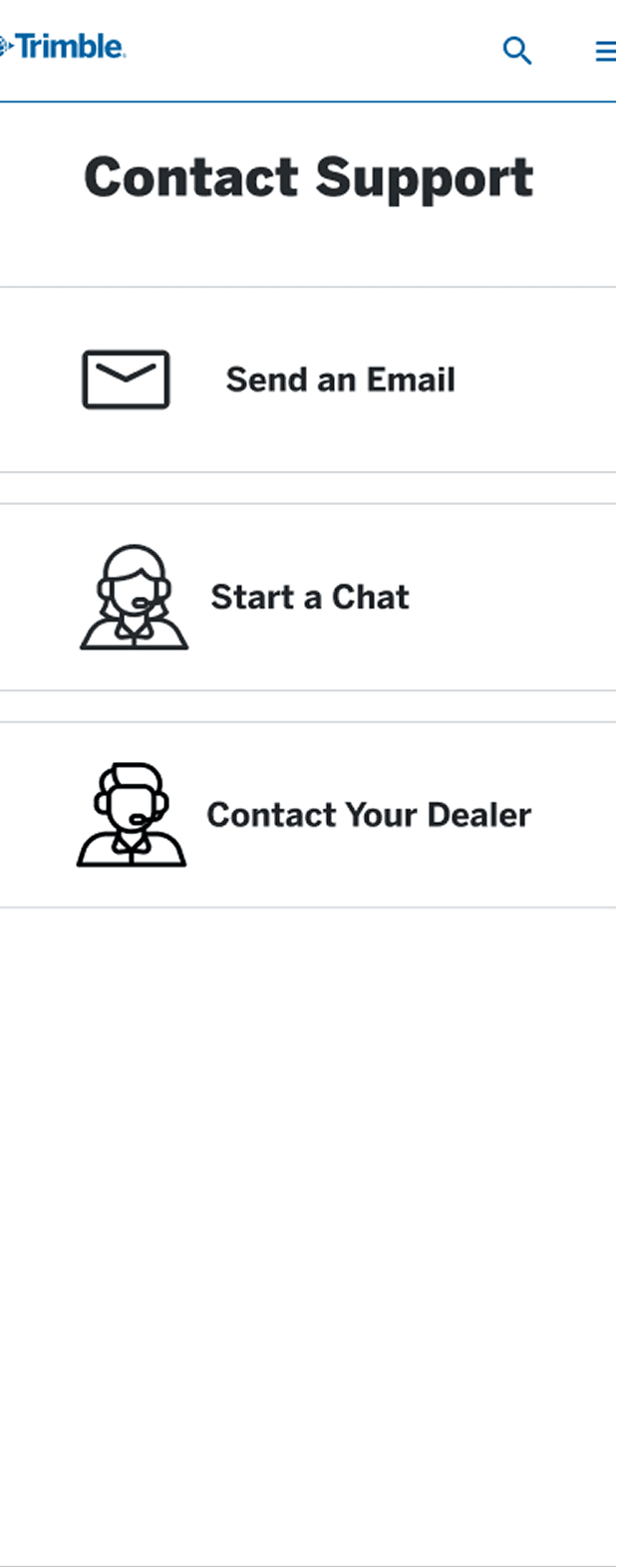
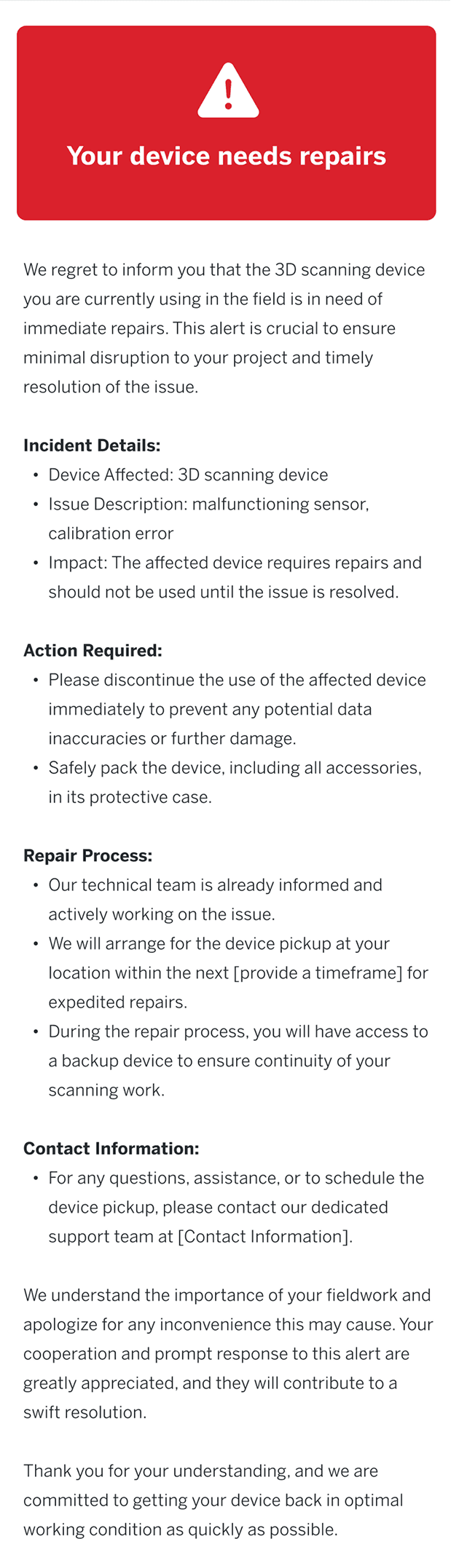
The third and final scene introduces an internal IT support persona who stays ahead of the curve by proactively streamlining knowledge sharing on key support topics for employees. Alerts are received on both her phone and desktop, ensuring timely communication and efficient issue resolution.
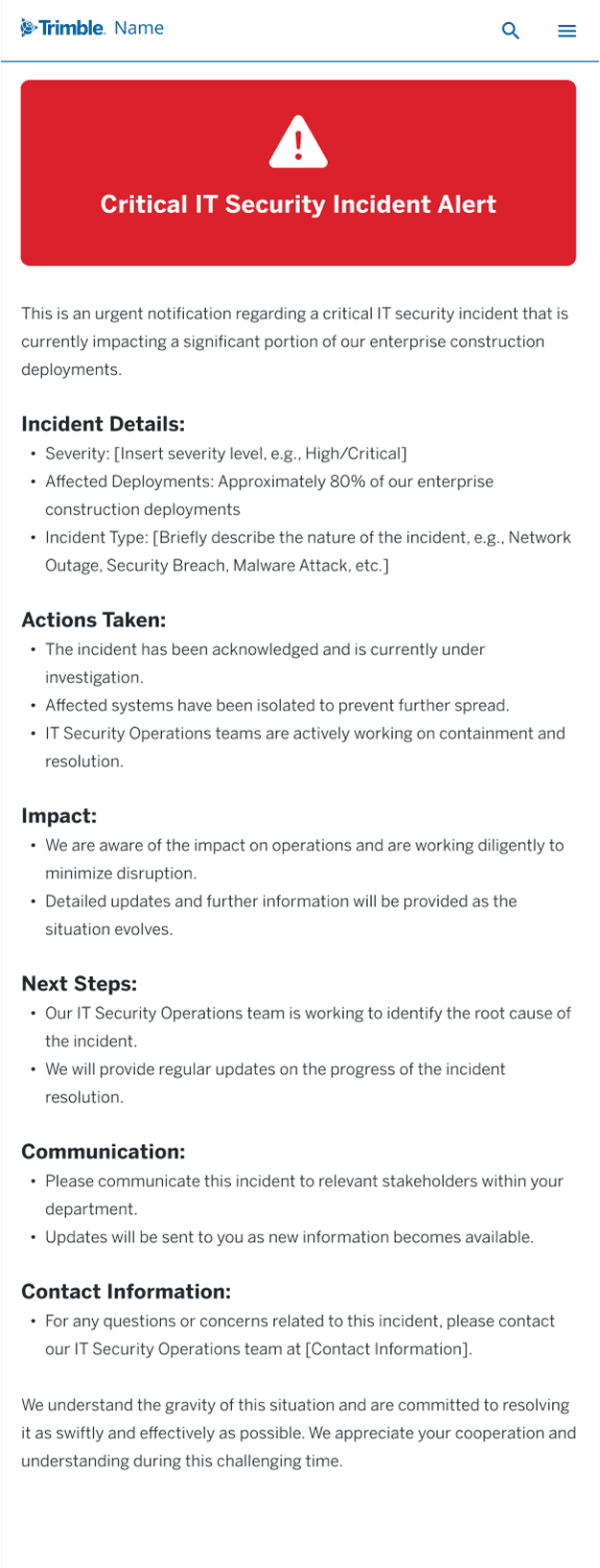
IT customer support receives a critical IT security alert on her phone.
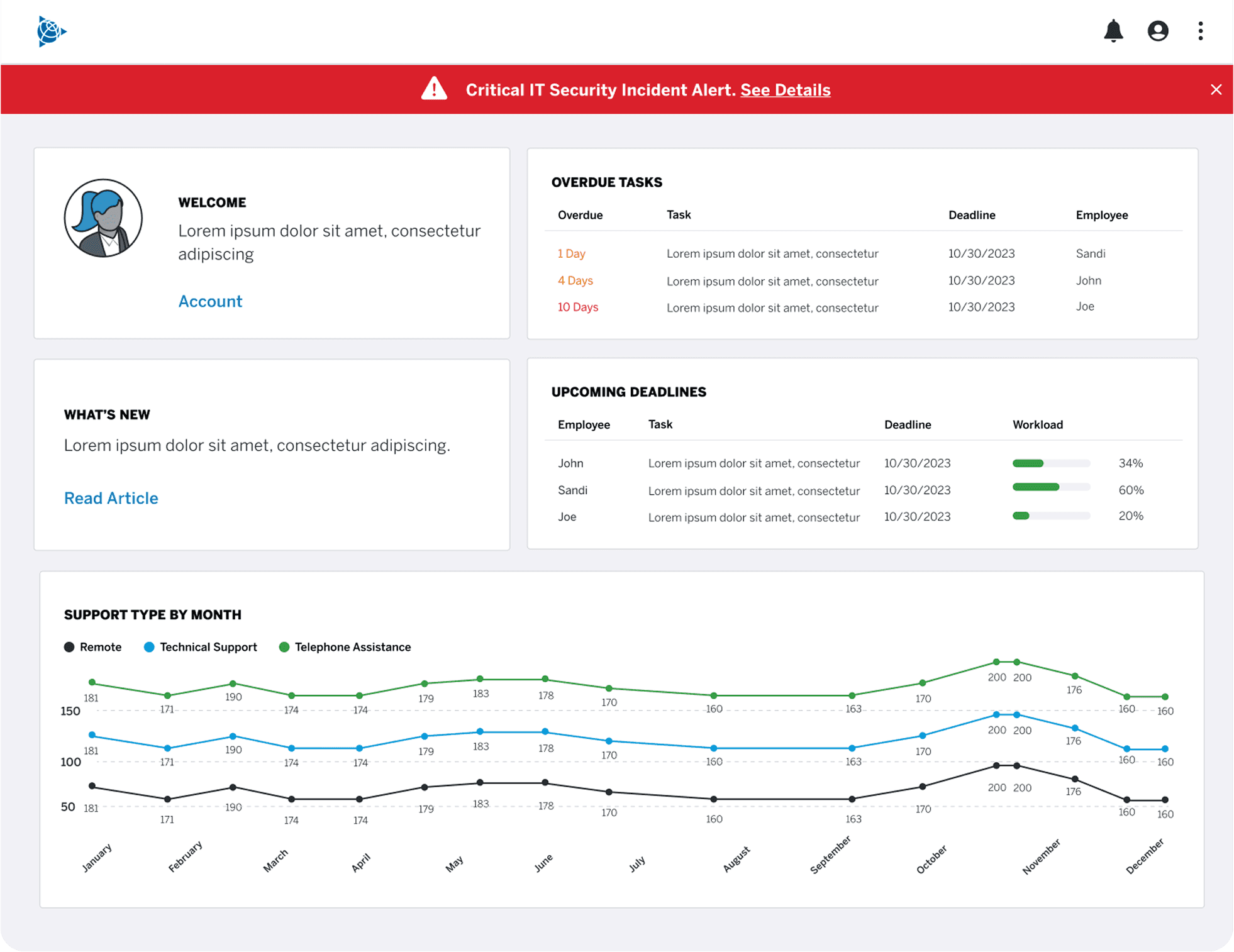
In addition, it appears on her dashboard on her computer. Within moments she kicks off the fix and alerts the customer support teams in Trimble and customers as needed.
Next steps and outcomes
Next Steps
The next steps included wrapping up the concept car and kicking off user interviews focused on support, learning, and community. Insights from those interviews would help shape updated personas and inform the design process. From there, the plan was to create wireframes and high-fidelity comps for the future-state experiences, followed by thorough documentation to support a smooth handoff to developers.
Outcomes
I stayed closely involved in the development of the federated search feature, reviewing progress and ensuring the implementation matched the design specifications. One of Trimble’s subsidiary companies reviewed our work and responded with strong, positive feedback on the improvements we introduced.
As for the concept car project, we were just about to hand off our work to the team responsible for producing the final video when an unexpected round of layoffs impacted our entire team, bringing the project to an abrupt end.
User follows conversations and gets support via the community on Trimble.com.
User has access to extensions for her 3D software.
In addition, it appears on her dashboard on her computer. Within moments she kicks off the fix and alerts the customer support teams in Trimble and customers as needed.
Next steps and outcomes
Next Steps
The next steps included wrapping up the concept car and kicking off user interviews focused on support, learning, and community. Insights from those interviews would help shape updated personas and inform the design process. From there, the plan was to create wireframes and high-fidelity comps for the future-state experiences, followed by thorough documentation to support a smooth handoff to developers.
Outcomes
I stayed closely involved in the development of the federated search feature, reviewing progress and ensuring the implementation matched the design specifications. One of Trimble’s subsidiary companies reviewed our work and responded with strong, positive feedback on the improvements we introduced.
As for the concept car project, we were just about to hand off our work to the team responsible for producing the final video when an unexpected round of layoffs impacted our entire team, bringing the project to an abrupt end.
Scene 3 concepts
Persona: an IT Sec Ops & Support person IT Admin (internal)
The third and final scene introduces an internal IT support persona who stays ahead of the curve by proactively streamlining knowledge sharing on key support topics for employees. Alerts are received on both her phone and desktop, ensuring timely communication and efficient issue resolution.
In addition, it appears on her dashboard on her computer. Within moments she kicks off the fix and alerts the customer support teams in Trimble and customers as needed.
Next steps and outcomes
Next Steps
The next steps included wrapping up the concept car and kicking off user interviews focused on support, learning, and community. Insights from those interviews would help shape updated personas and inform the design process. From there, the plan was to create wireframes and high-fidelity comps for the future-state experiences, followed by thorough documentation to support a smooth handoff to developers.
Outcomes
I stayed closely involved in the development of the federated search feature, reviewing progress and ensuring the implementation matched the design specifications. One of Trimble’s subsidiary companies reviewed our work and responded with strong, positive feedback on the improvements we introduced.
As for the concept car project, we were just about to hand off our work to the team responsible for producing the final video when an unexpected round of layoffs impacted our entire team, bringing the project to an abrupt end.
User has access to extensions for her 3D software.
All Brands landing page
The goal was to create a comprehensive landing page showcasing all exhibitor brands in one place. Designed to give users a quick overview of brand categories and drive traffic to the full brand list pages, the page also highlights key JuniperMarket info and features clear calls to action. Users are encouraged to explore featured brands, view their saved favorites, or browse the full list. Once signed in, they see a personalized “My Brands” section with a snapshot of their saved brands and a link to view them all on the dedicated list page.
Mobile version
All Brands list page
The list page functions as a user-friendly exhibitor catalog, allowing buyers to browse a wide range of brands with filters for categories, markets, and order minimums. It includes tabs for "All Brands," "New Brands," and "My Brands" to help users quickly find what they're looking for.
Mobile version
All Brands landing page
JuniperCredit
JuniperCredit offers eligible retailers and designers a 60-day payment window on product purchases through a line of credit. This section explains how to get started with JuniperCredit, including pre-qualification details and key benefits. It also features a dedicated area for sellers to enroll, with clear calls to action guiding users through each step of the process.
JuniperCredit
JuniperCredit offers eligible retailers and designers a 60-day payment window on product purchases through a line of credit. This section explains how to get started with JuniperCredit, including pre-qualification details and key benefits. It also features a dedicated area for sellers to enroll, with clear calls to action guiding users through each step of the process.

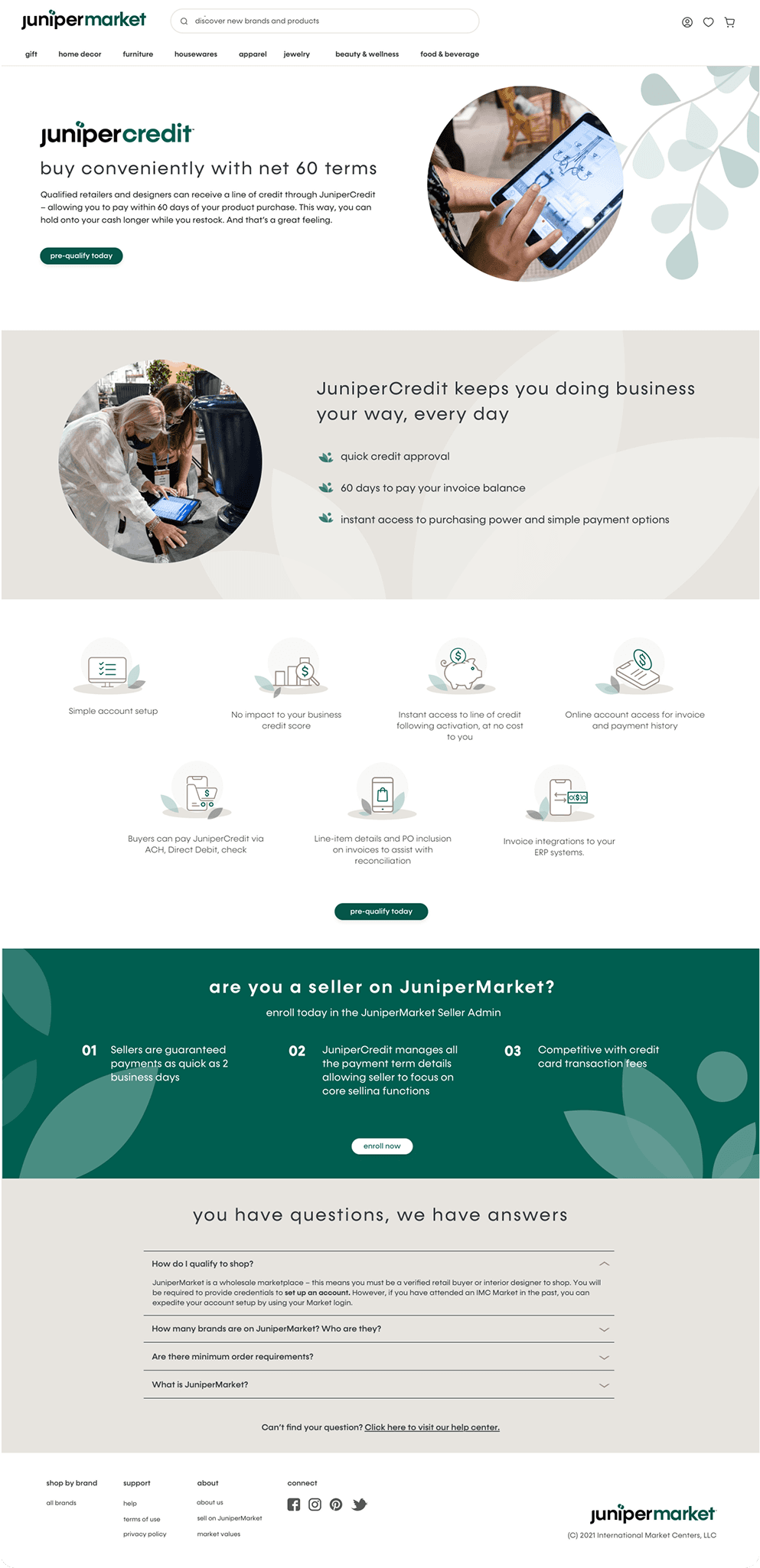
Mobile version
JuniperCredit landing page
JuniperCredit landing page

Icons
I designed icons for JuniperCredit that were utilized throughout the Juniper sites.
Icons
I designed icons for JuniperCredit that were utilized throughout the Juniper sites.
Icons
I designed icons for JuniperCredit that were utilized throughout the Juniper sites.
Icons
I designed icons for JuniperCredit that were utilized throughout the Juniper sites.
All Brands landing page
Markets page
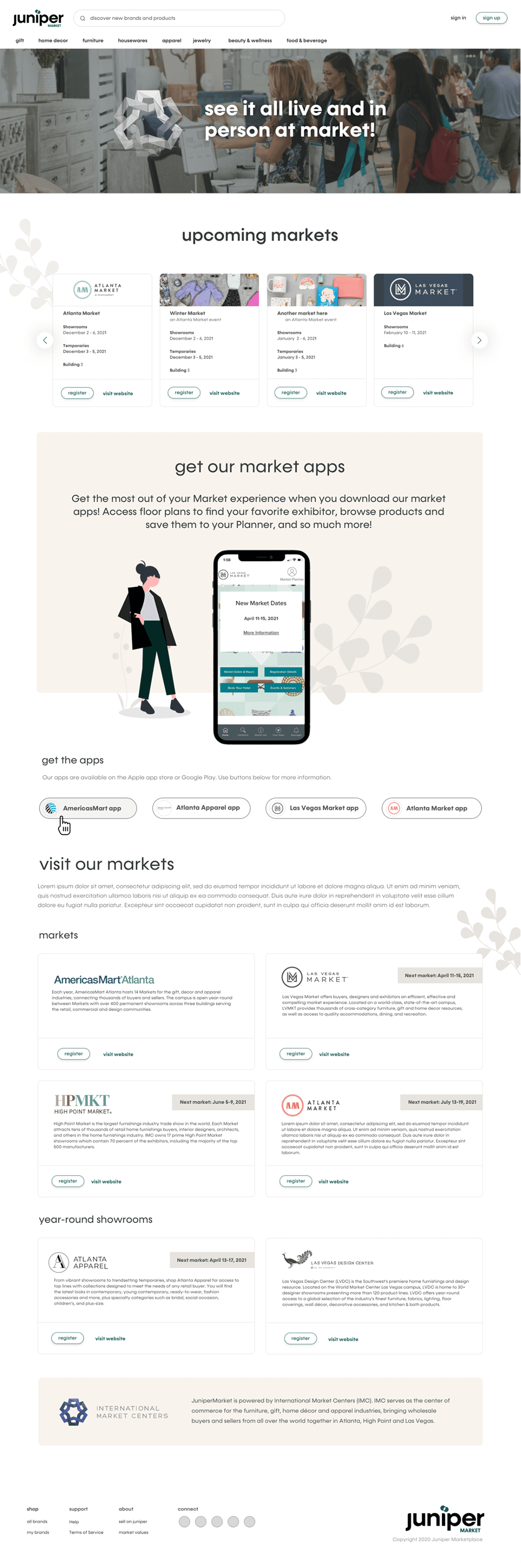
The Our Markets page highlights IMC’s physical markets, providing quick access to market details, dates, and easy-to-find registration CTAs. It also features a dedicated section for market mobile apps, each with its own clear call to action for download or access.
Markets page
The Our Markets page highlights IMC’s physical markets, providing quick access to market details, dates, and easy-to-find registration CTAs. It also features a dedicated section for market mobile apps, each with its own clear call to action for download or access.
Markets page
The Our Markets page highlights IMC’s physical markets, providing quick access to market details, dates, and easy-to-find registration CTAs. It also features a dedicated section for market mobile apps, each with its own clear call to action for download or access.

Mobile version
Markets landing page
Project outcomes
GMV
Within a span of a few years, the GMV (gross merchandise volume/sales) experienced a remarkable 150% growth, reaching approximately $4 billion following the introduction of ShopZio and subsequently JuniperMarket.
Platform sellers
The number of platform sellers surged by over a thousand.
Markets landing page
Mobile version
Markets page
The Our Markets page highlights IMC’s physical markets, providing quick access to market details, dates, and easy-to-find registration CTAs. It also features a dedicated section for market mobile apps, each with its own clear call to action for download or access.
Mobile version
Markets landing page
Project outcomes
GMV
Within a span of a few years, the GMV (gross merchandise volume/sales) experienced a remarkable 150% growth, reaching approximately $4 billion following the introduction of ShopZio and subsequently JuniperMarket.
Platform sellers
The number of platform sellers surged by over a thousand.
PREVIOUS
NEXT
PREVIOUS
NEXT
JuniperCredit
JuniperCredit offers eligible retailers and designers a 60-day payment window on product purchases through a line of credit. This section explains how to get started with JuniperCredit, including pre-qualification details and key benefits. It also features a dedicated area for sellers to enroll, with clear calls to action guiding users through each step of the process.
Mobile version
JuniperCredit landing page
Icons
I designed icons for JuniperCredit that were utilized throughout the Juniper sites.