Concept car
Creating the future vision for support, learning, and community spaces
I collaborated with another designer and the UX Director to develop concepts for the future appearance and functionality of the support, learning, and community spaces. These concepts were intended to be transformed into a video presentation, allowing us to effectively communicate our vision to stakeholders.
Journey maps
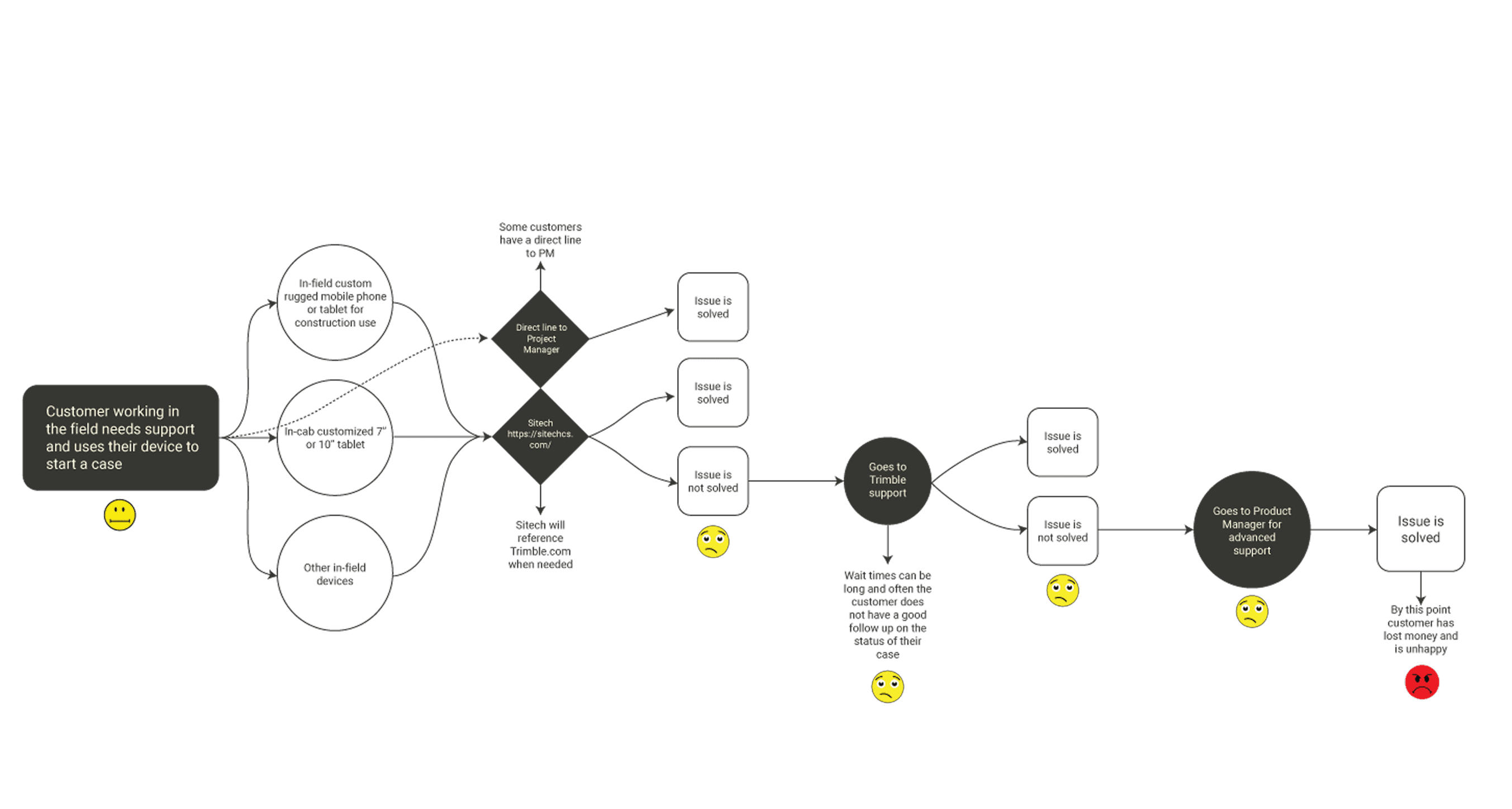
I developed journey maps that illustrated the current user experience for seeking assistance and identifying various pain points within the process. In contrast, the remaining journeys depicted in this image were designed for distinct personas, showcasing the envisioned future state of diverse user interactions when seeking support.
Script and storyboard
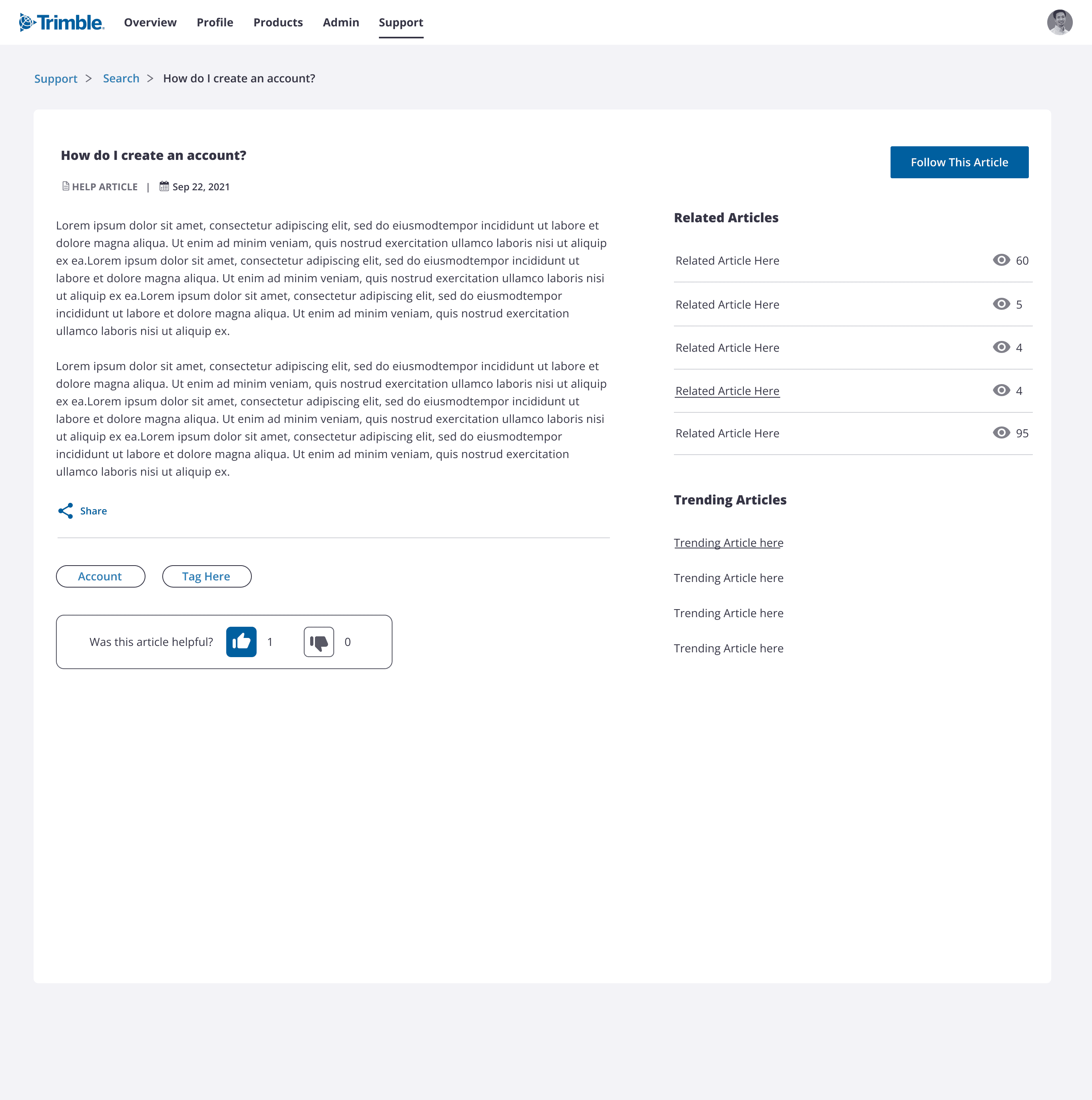
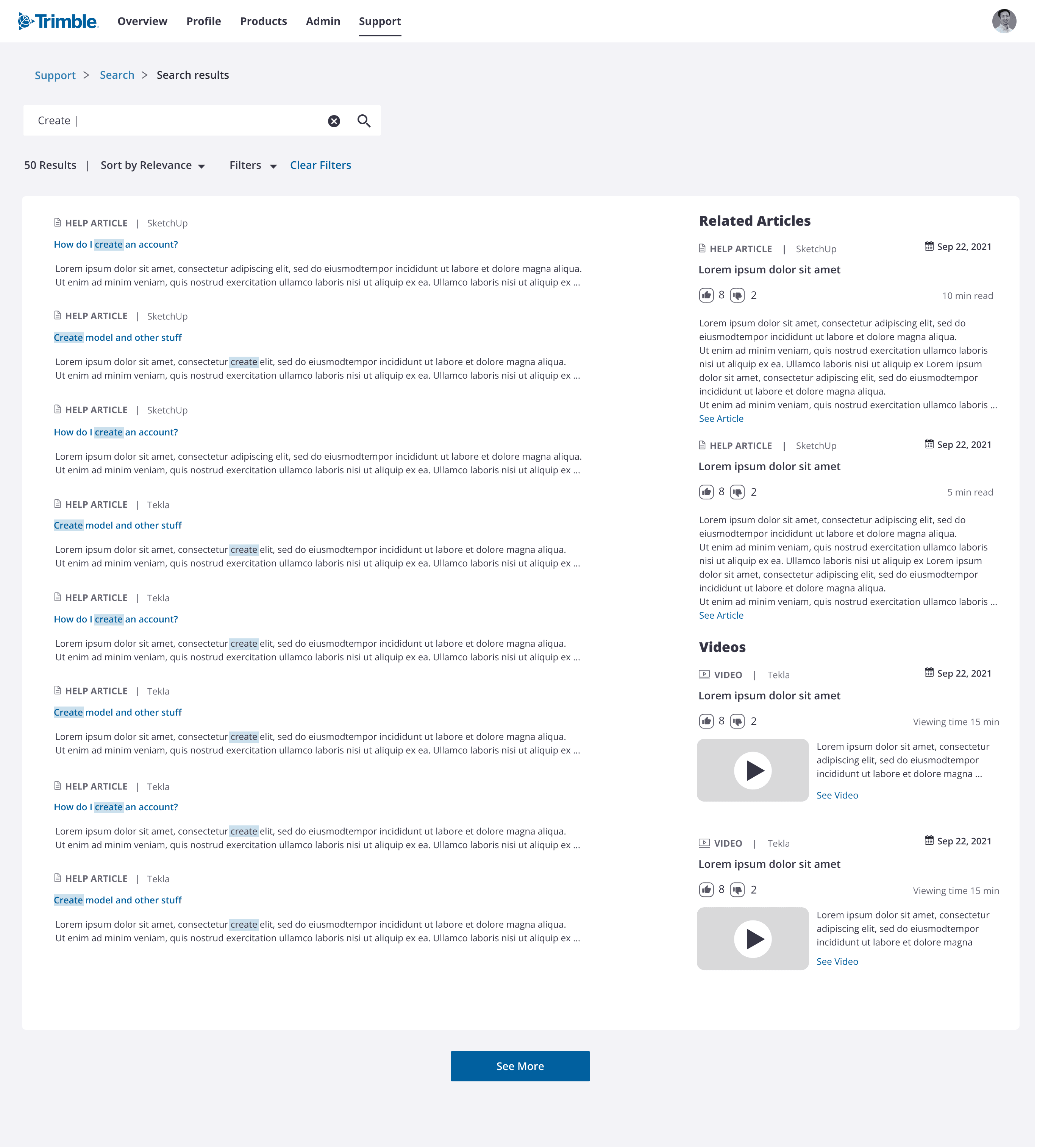
Collaborating with the UX director and another designer, I crafted a script for the concept car video, and together, we devised storyboards using wireframes and illustrations. Subsequently, I translated these visual concepts into. wireframes and then high-fidelity designs.
Journey maps
I developed journey maps that illustrated the current user experience for seeking assistance and identifying various pain points within the process. In contrast, the remaining journeys depicted in this image were designed for distinct personas, showcasing the envisioned future state of diverse user interactions when seeking support.
Script and storyboard
Collaborating with the UX director and another designer, I crafted a script for the concept car video, and together, we devised storyboards using wireframes and illustrations. Subsequently, I translated these visual concepts into. wireframes and then high-fidelity designs.
Customer journey map (Before redesign)
Customer journey map (Before redesign)
Customer journey map (Before redesign)
Customer journey map (Before redesign)
Scene 1 concepts
Persona: A Construction worker using a 3D scanning system in the field
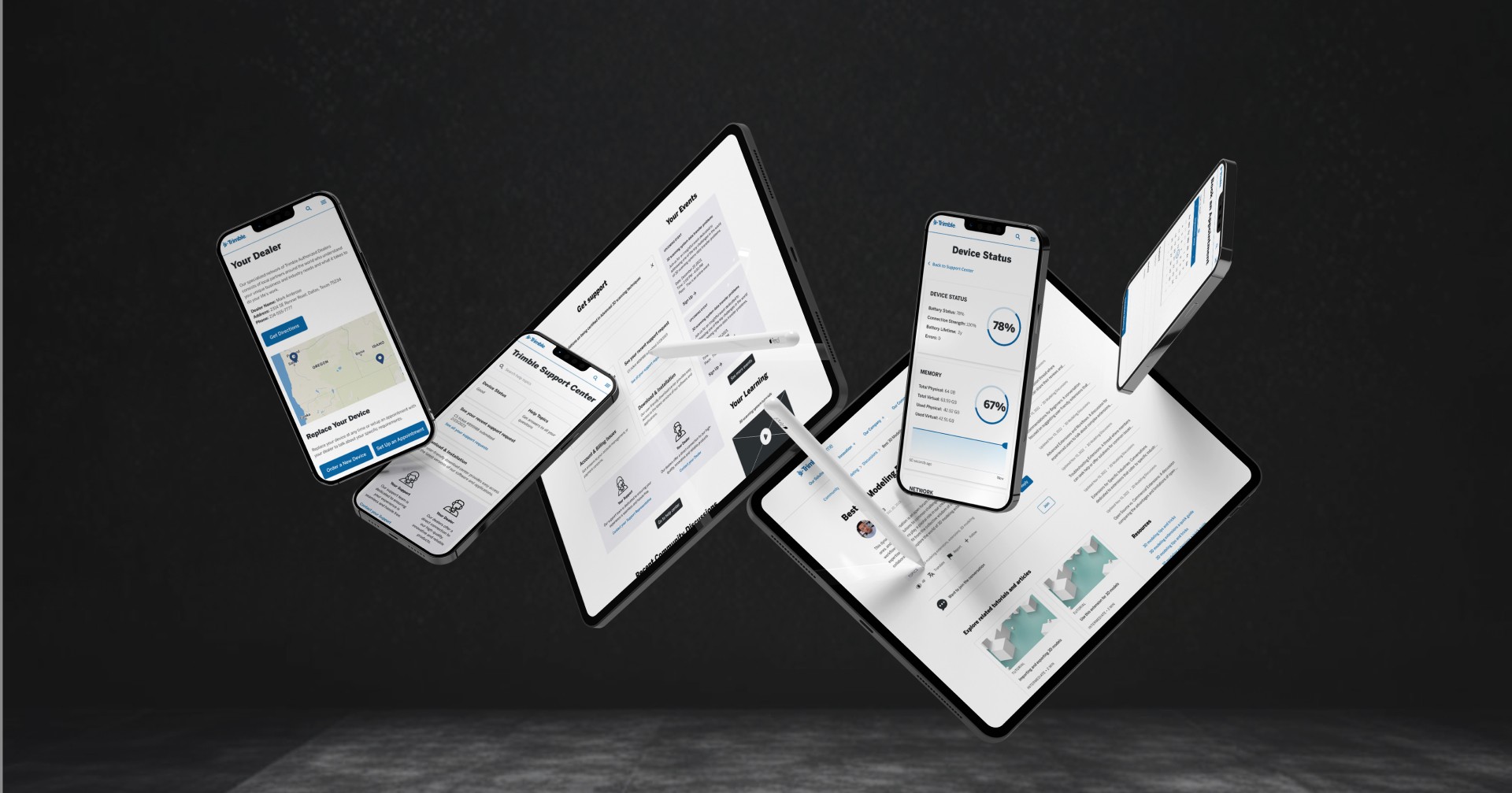
Scene one features a construction worker out in the field receiving real-time updates and support for his 3D scanning system. He’s using the Trimble SX12 Scanner & Robotic Total Station, a tool that enables him to capture and analyze 3D data for construction and surveying tasks.
User gets update on his tablet out in the field.
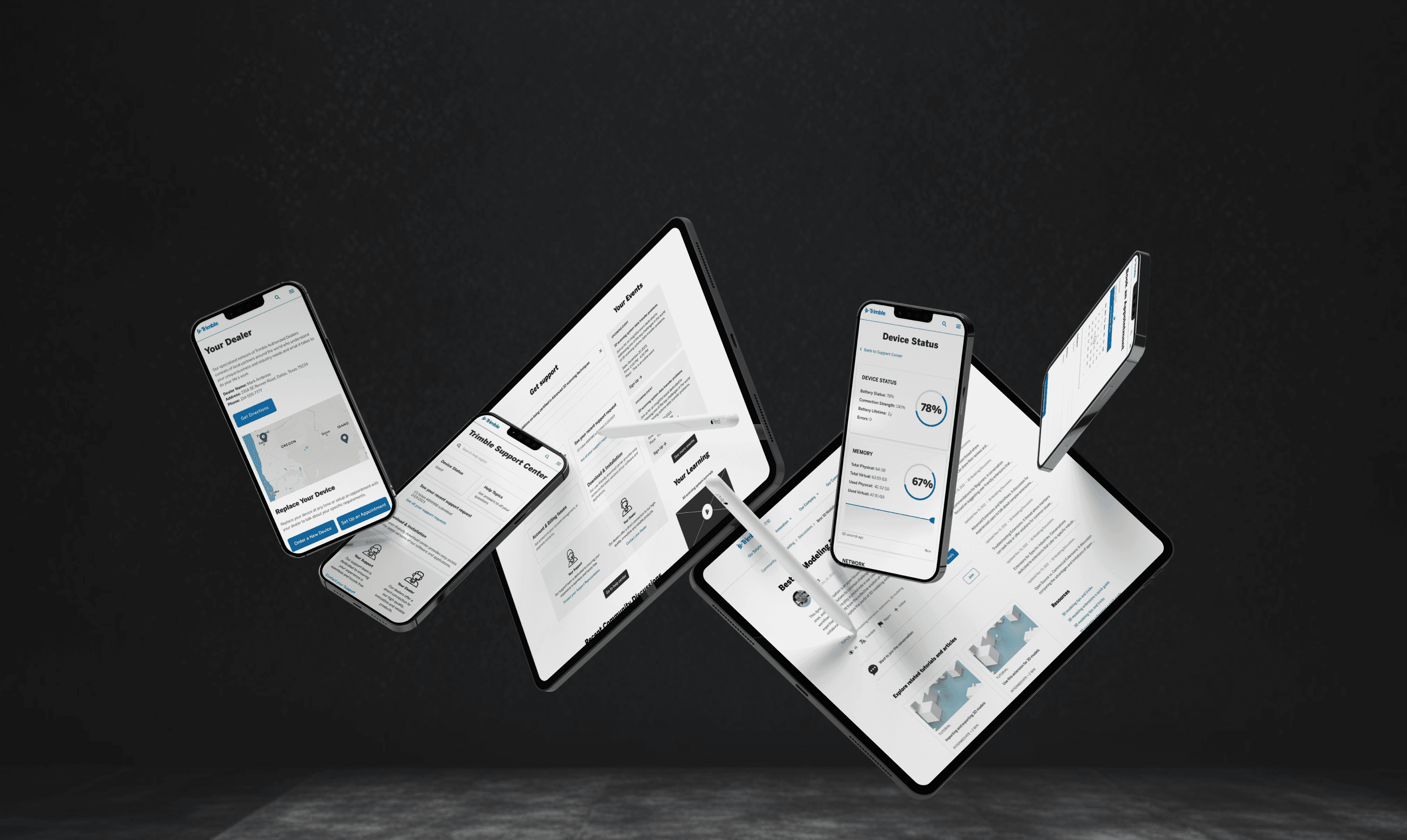
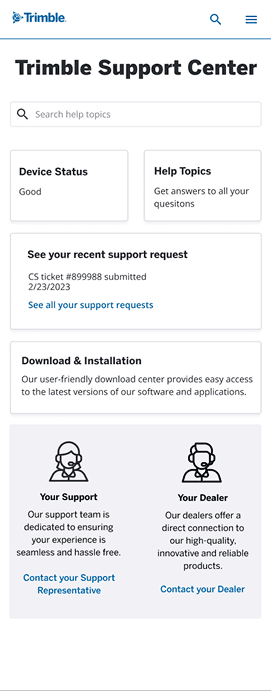
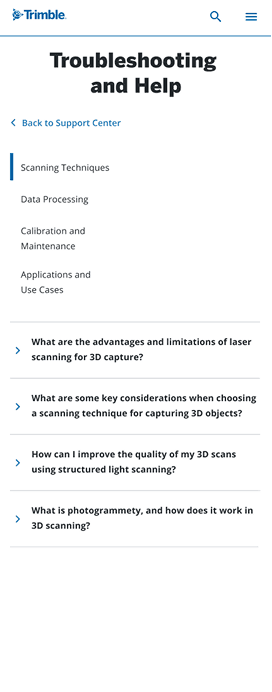
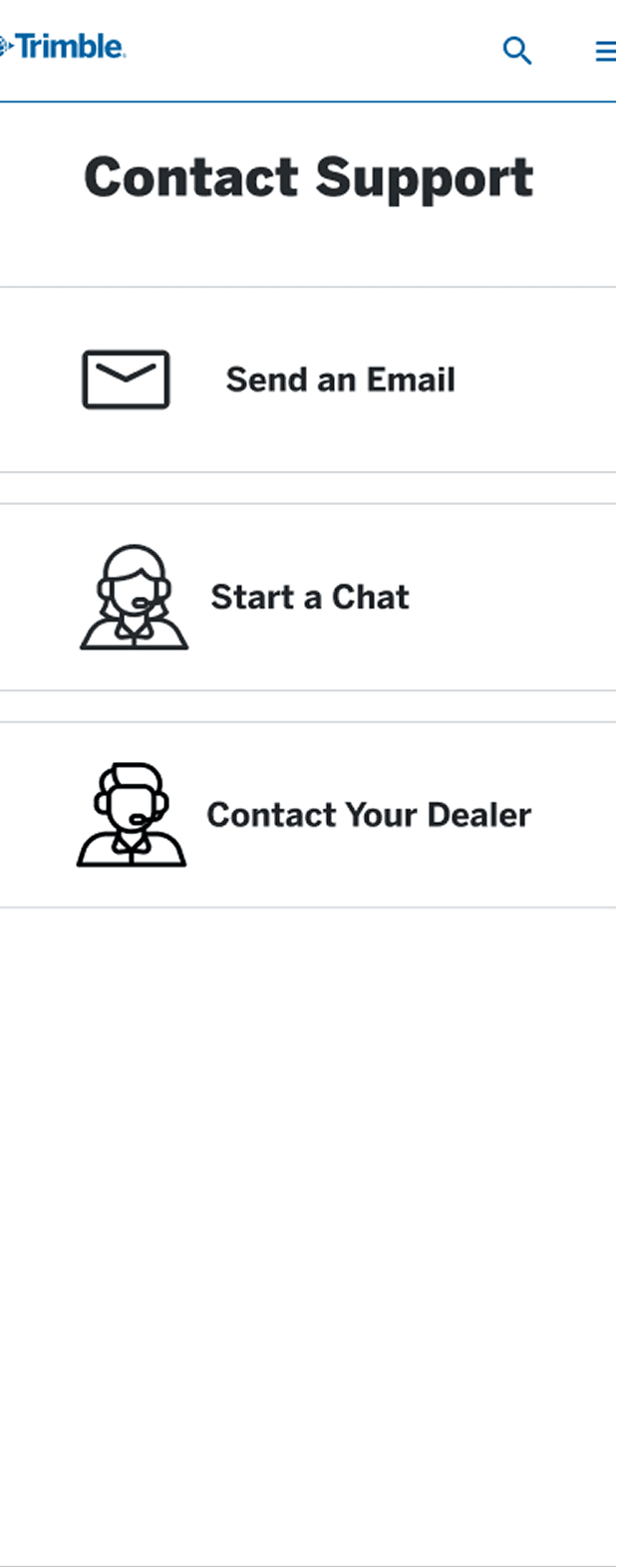
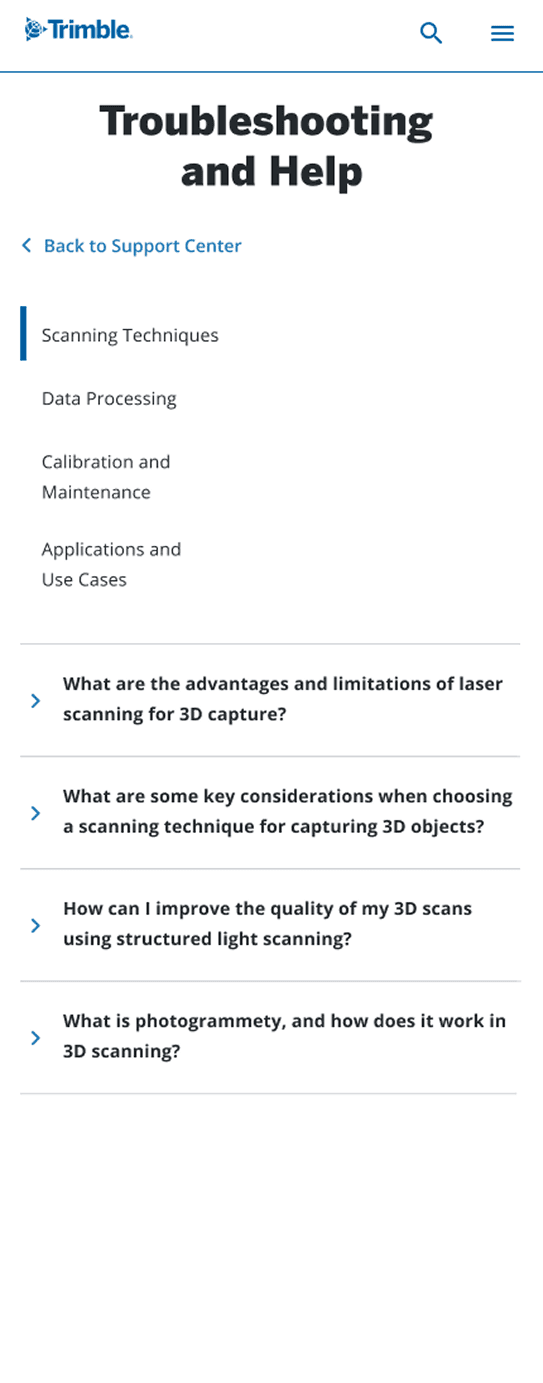
User is able to login to support via his phone to get personalized information. He can also scan a QR code to get help with a specific issue.
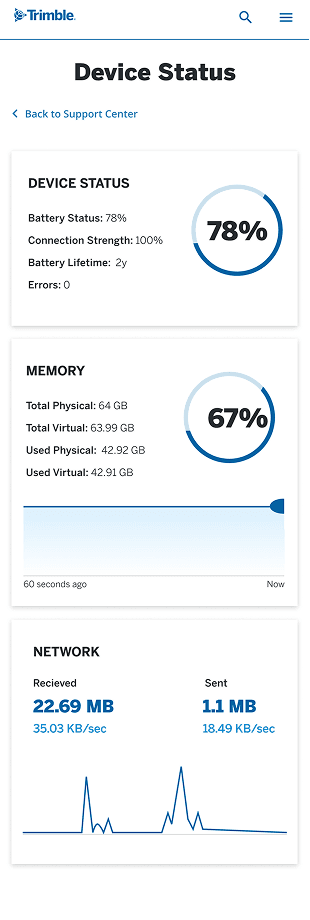
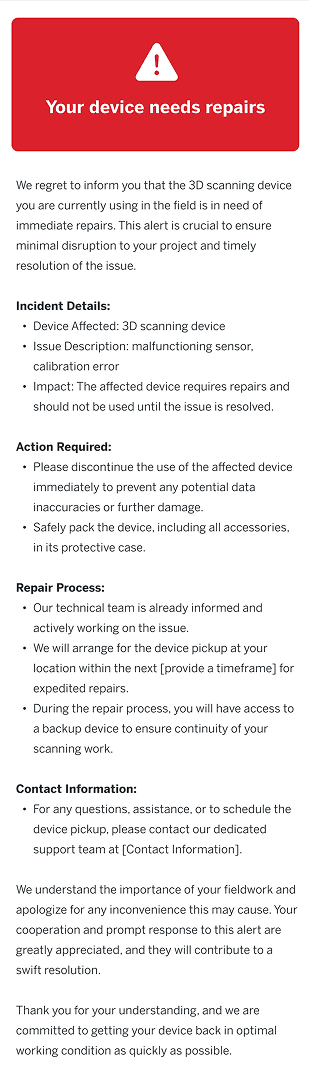
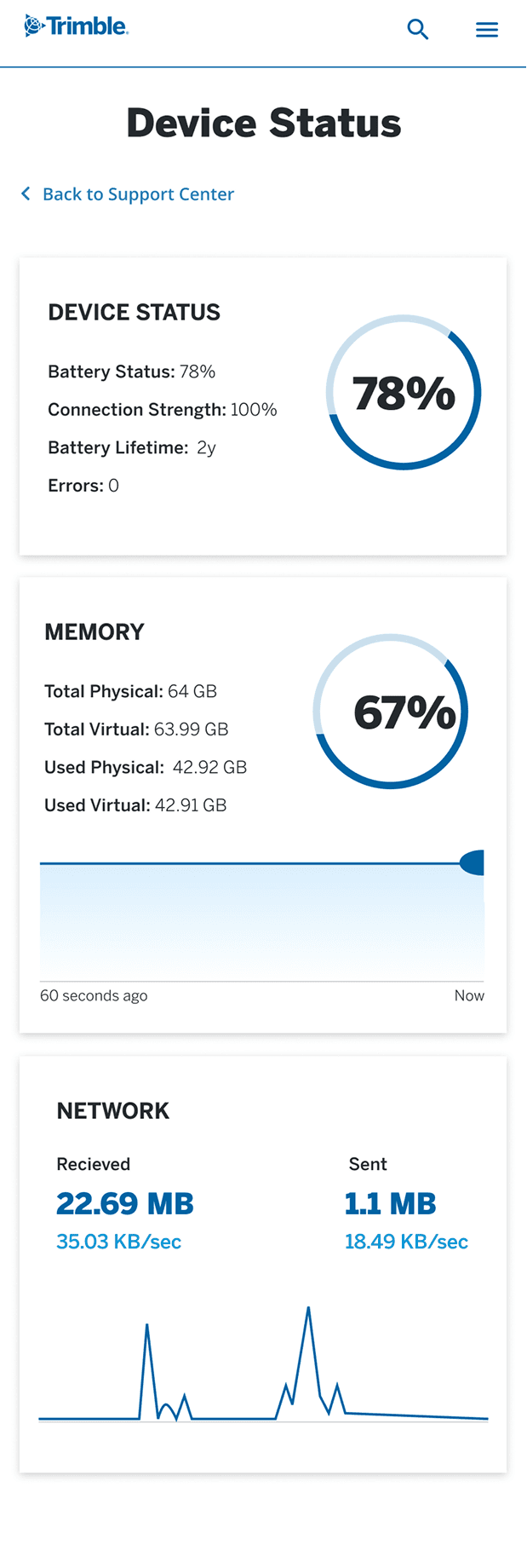
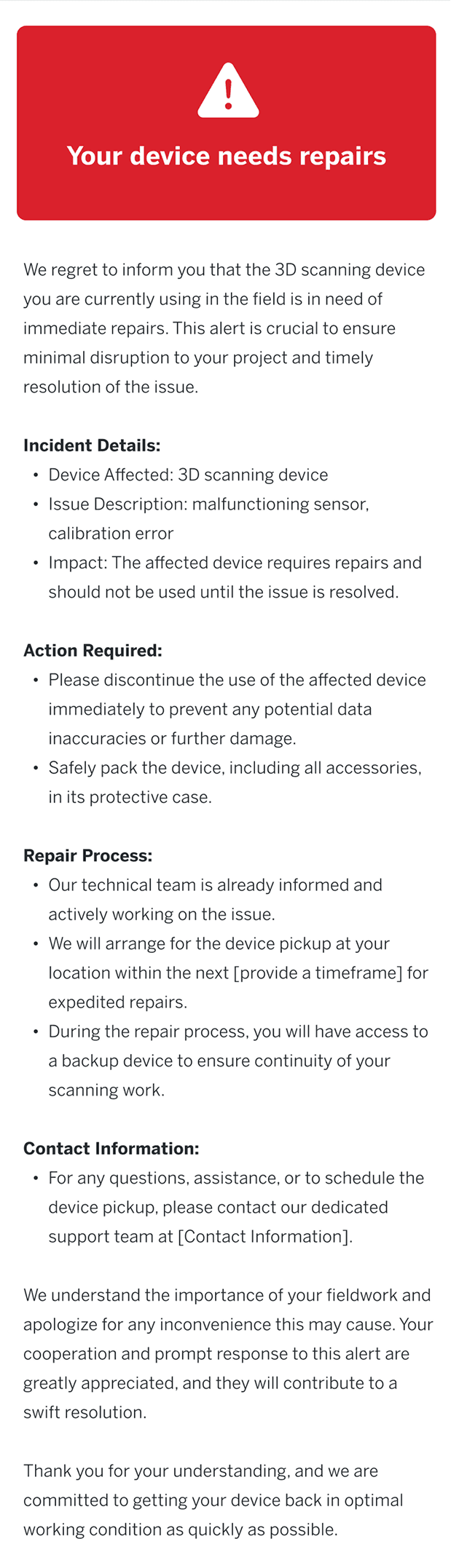
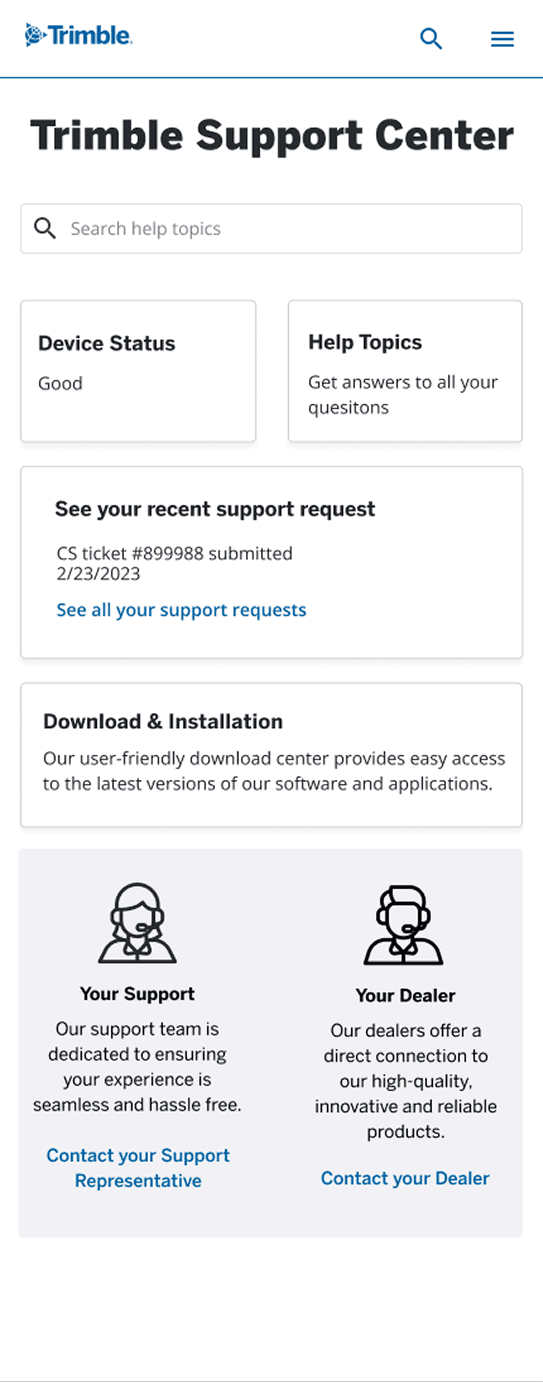
User can access support via his phone. He can see device status and receives alerts when his device needs repairs.
Scene 1 concepts
Persona: A Construction worker using a 3D scanning system in the field
Scene one features a construction worker out in the field receiving real-time updates and support for his 3D scanning system. He’s using the Trimble SX12 Scanner & Robotic Total Station, a tool that enables him to capture and analyze 3D data for construction and surveying tasks.
Scene 2 concepts
Persona: an architect using 3D modeling software
The second scene features an architect persona working with 3D software, emphasizing the need for seamlessly integrated, cloud-based tools that support file sharing across multiple applications. The scene also highlights in-app assistance, access to community support, and the ability to add extensions. A key moment in the narrative includes the use of a chatbot directly from her device, enhancing the interactive and supportive experience.
Scene 2 concepts
Persona: an architect using 3D modeling software
The second scene features an architect persona working with 3D software, emphasizing the need for seamlessly integrated, cloud-based tools that support file sharing across multiple applications. The scene also highlights in-app assistance, access to community support, and the ability to add extensions. A key moment in the narrative includes the use of a chatbot directly from her device, enhancing the interactive and supportive experience.
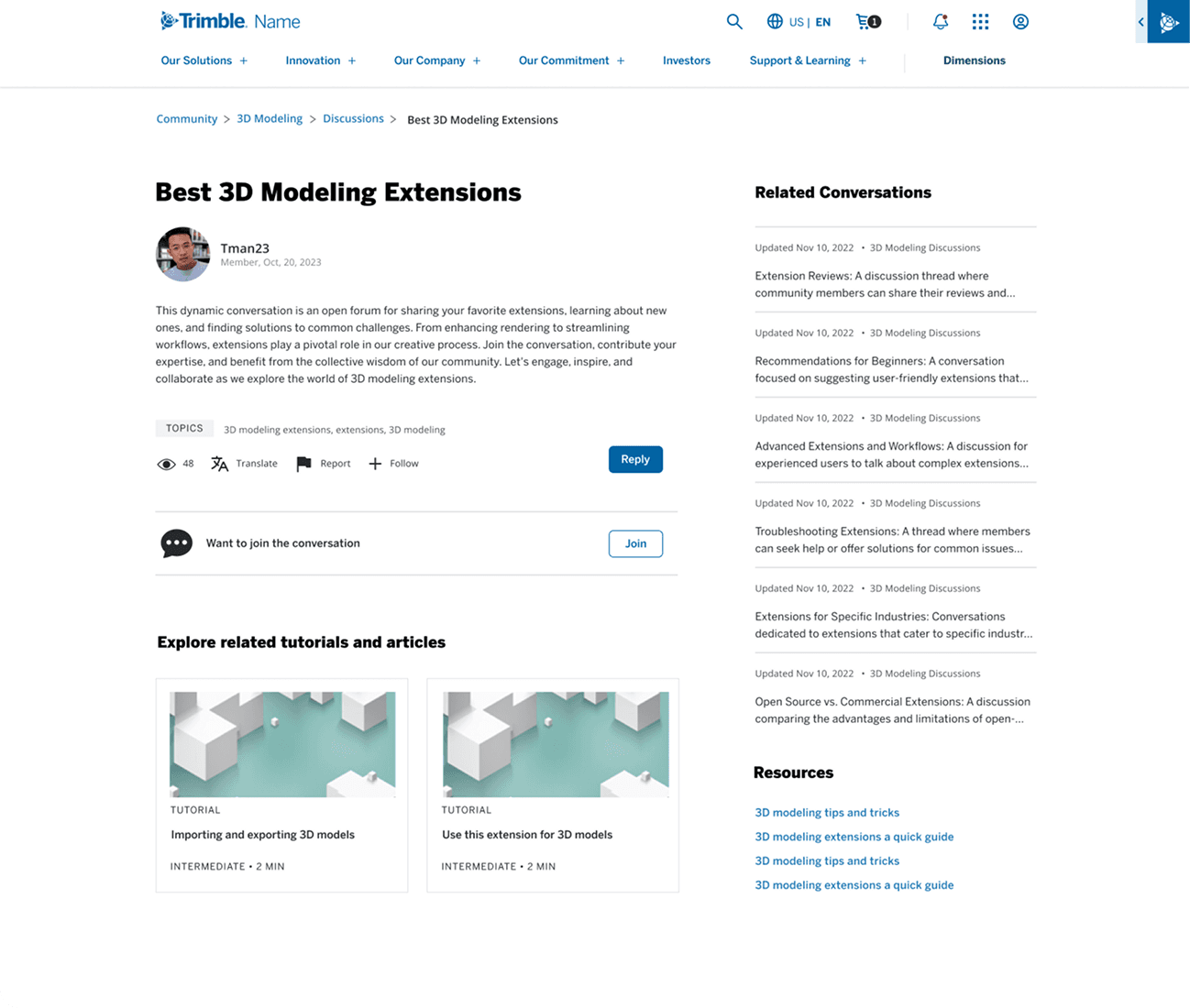
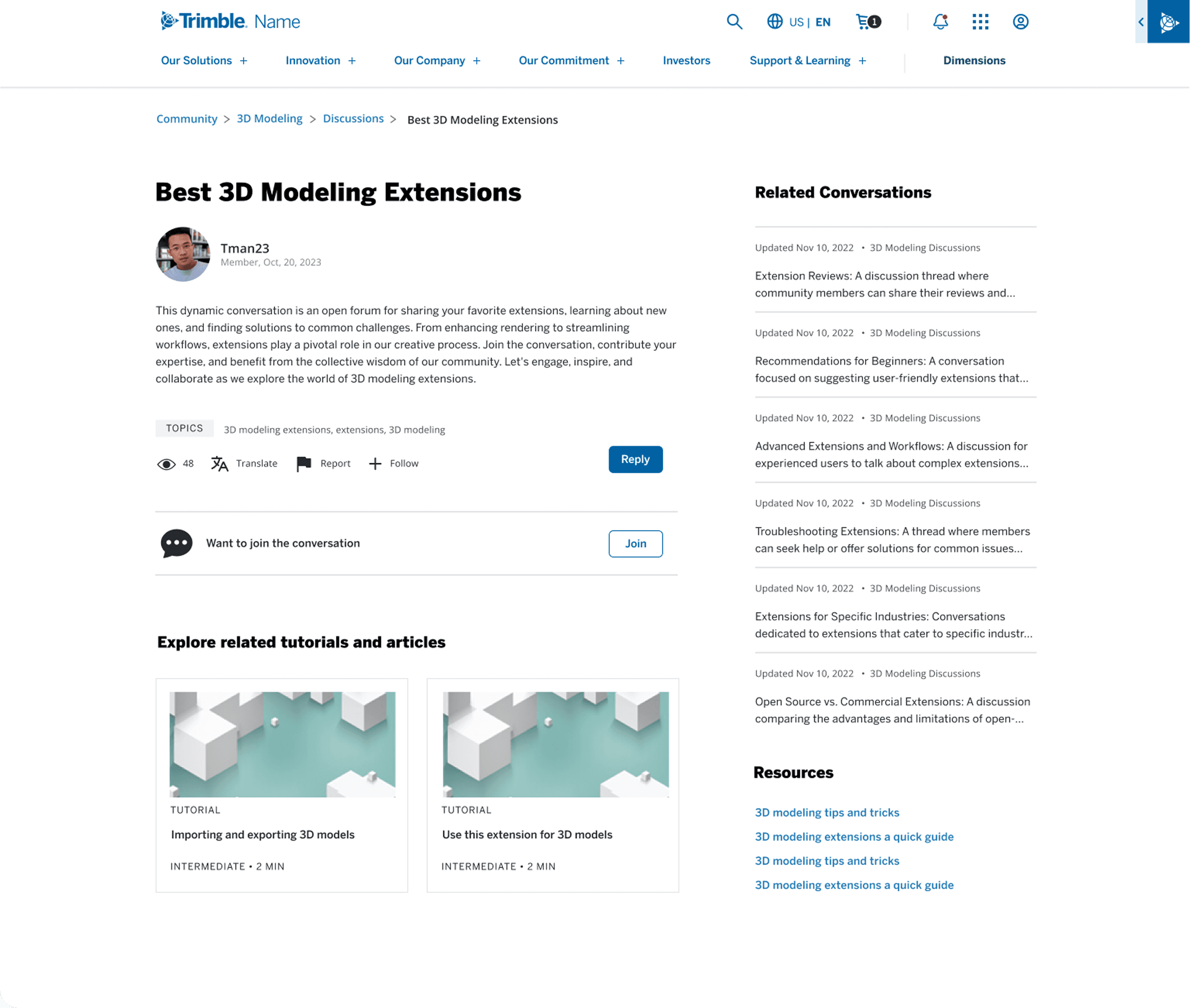
User follows conversations and gets support via the community on Trimble.com.
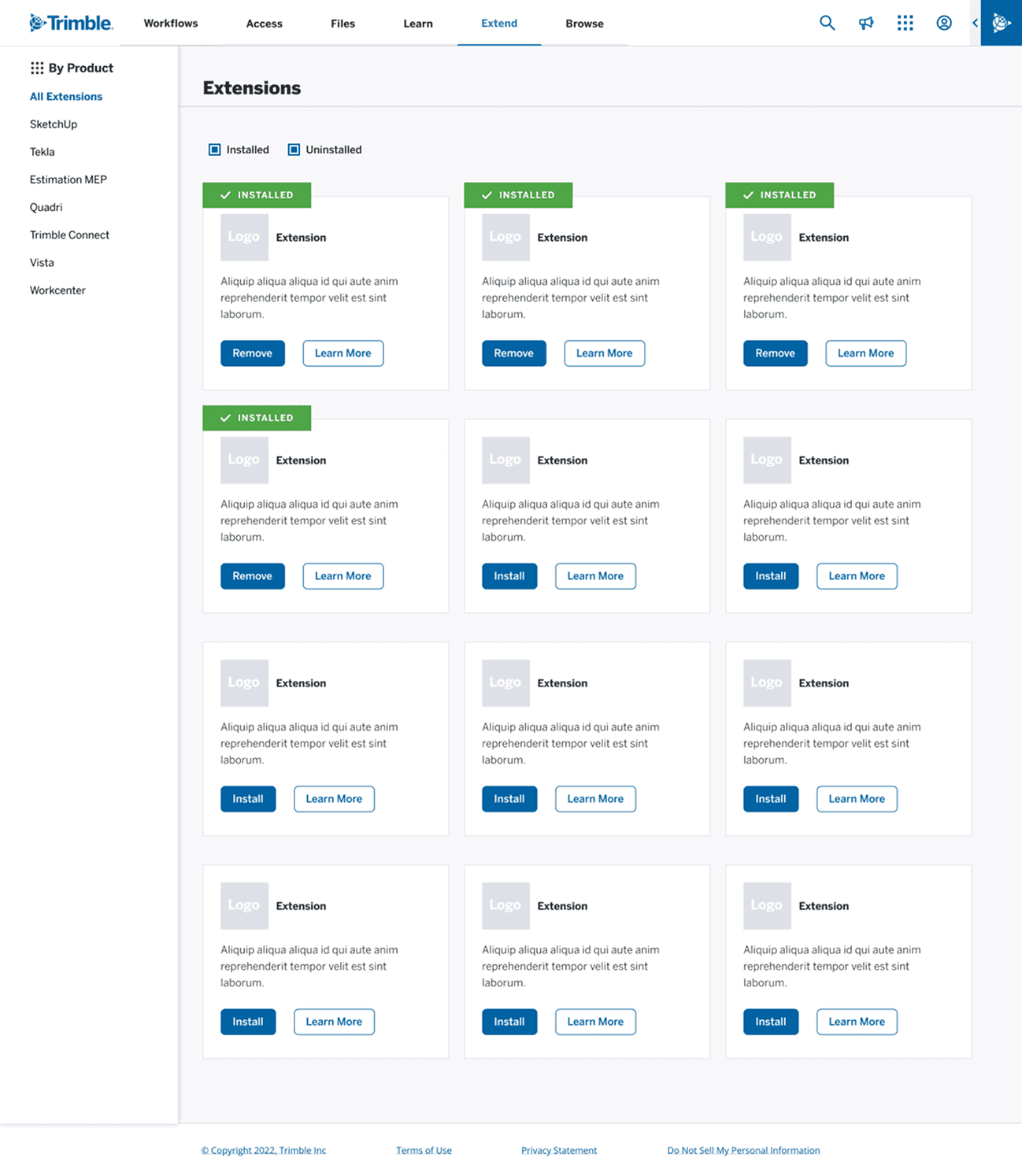
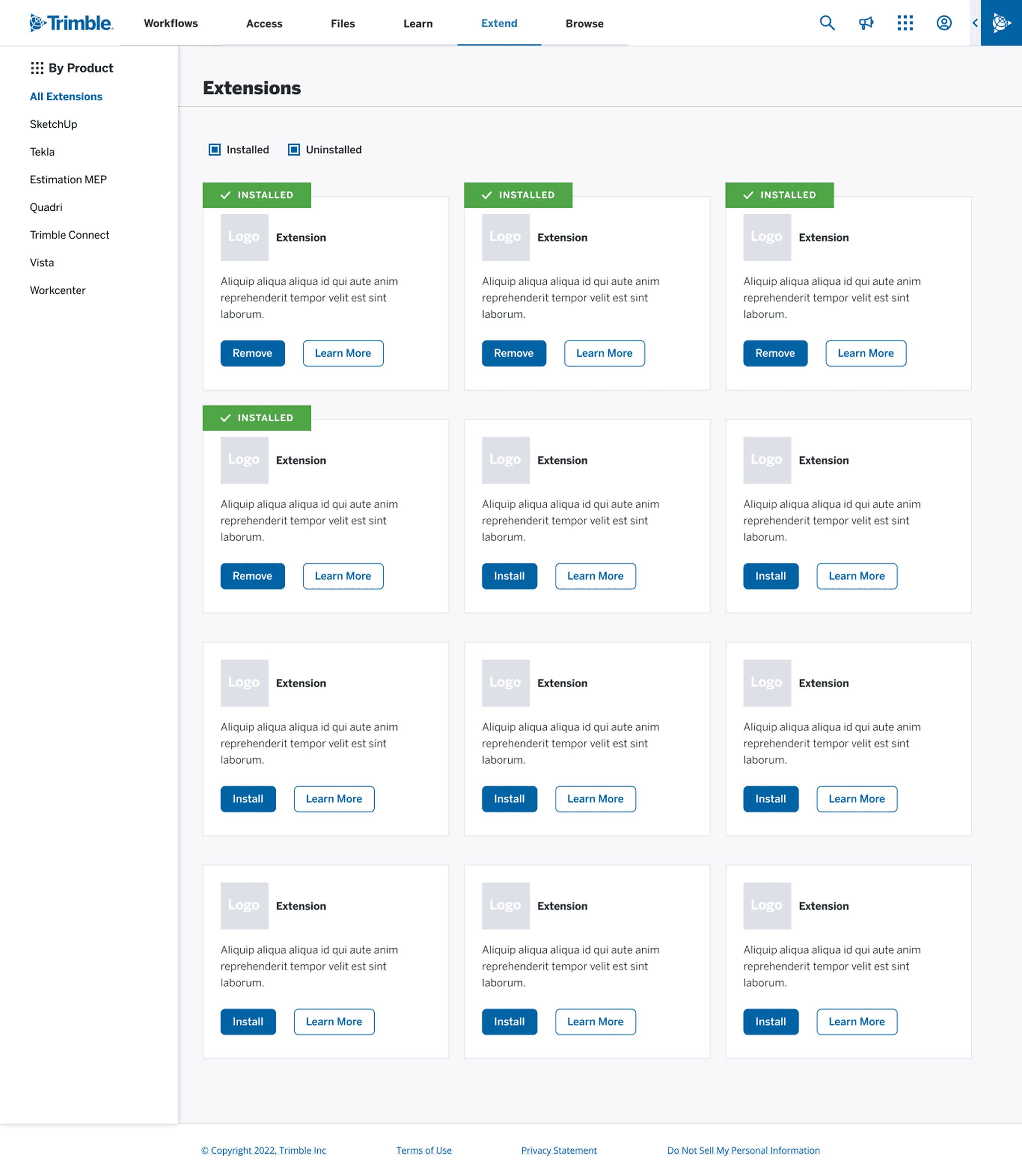
User has access to extensions for her 3D software.
Scene 3 concepts
Persona: an IT Sec Ops & Support person IT Admin (internal)
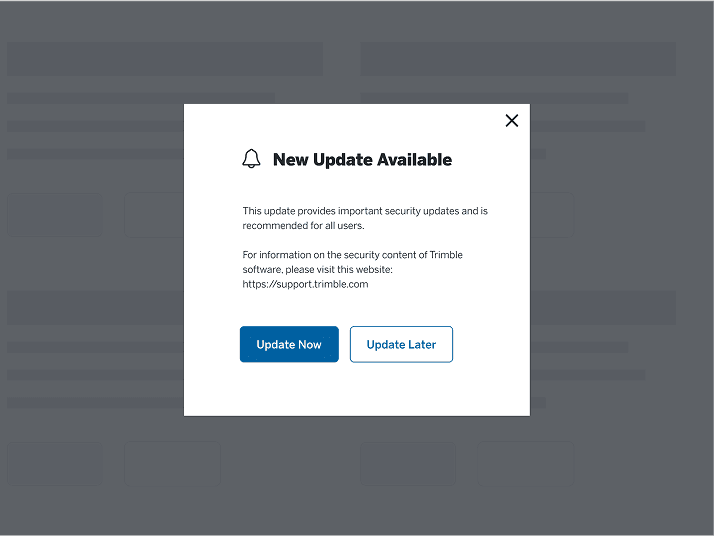
The third and final scene introduces an internal IT support persona who stays ahead of the curve by proactively streamlining knowledge sharing on key support topics for employees. Alerts are received on both her phone and desktop, ensuring timely communication and efficient issue resolution.
Scene 3 concepts
Persona: an IT Sec Ops & Support person IT Admin (internal)
The third and final scene introduces an internal IT support persona who stays ahead of the curve by proactively streamlining knowledge sharing on key support topics for employees. Alerts are received on both her phone and desktop, ensuring timely communication and efficient issue resolution.
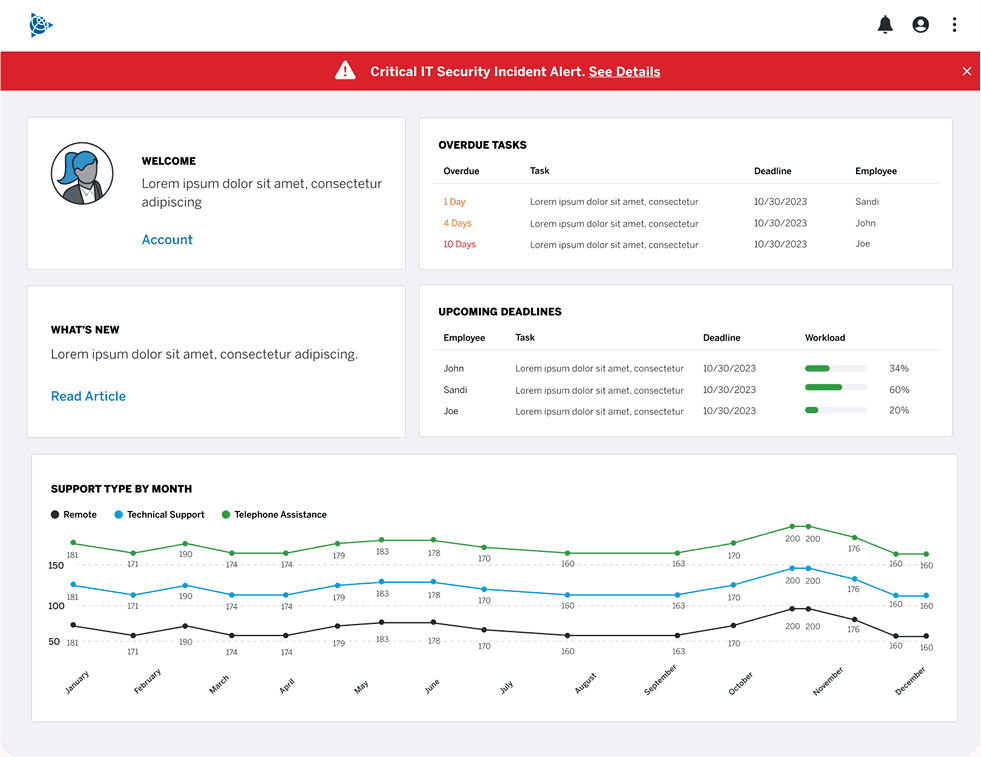
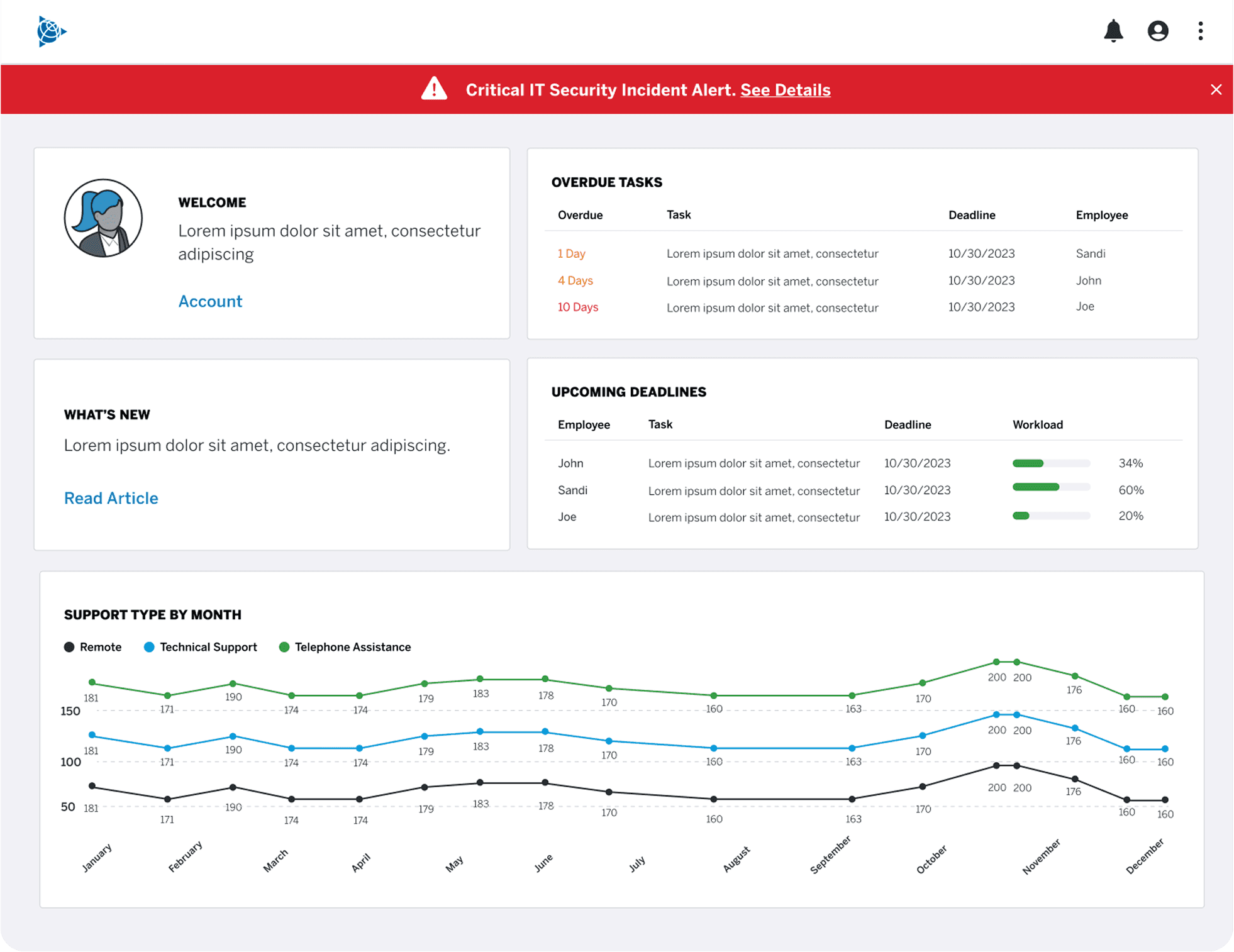
In addition, it appears on her dashboard on her computer. Within moments she kicks off the fix and alerts the customer support teams in Trimble and customers as needed.
Next steps and outcomes
Next Steps
The next steps included wrapping up the concept car and kicking off user interviews focused on support, learning, and community. Insights from those interviews would help shape updated personas and inform the design process. From there, the plan was to create wireframes and high-fidelity comps for the future-state experiences, followed by thorough documentation to support a smooth handoff to developers.
Outcomes
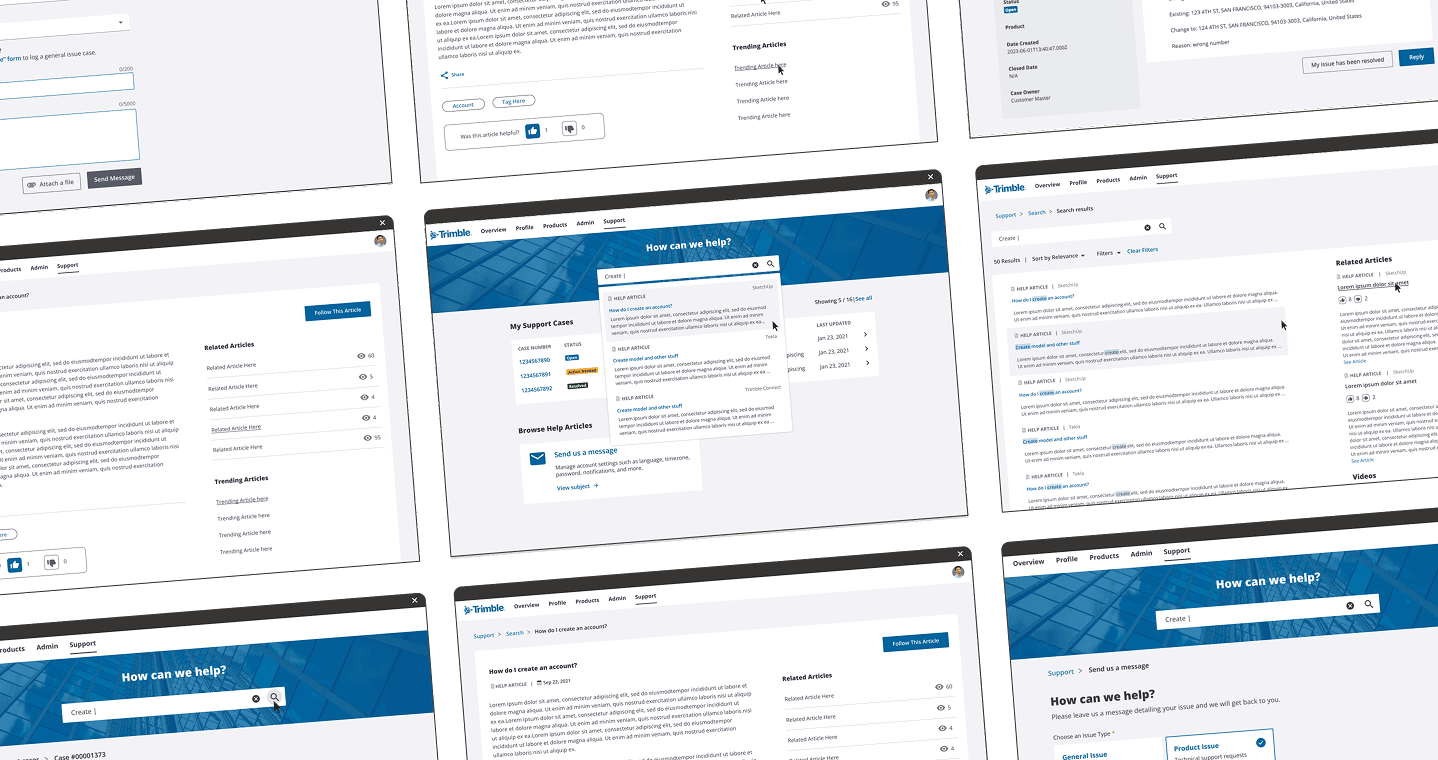
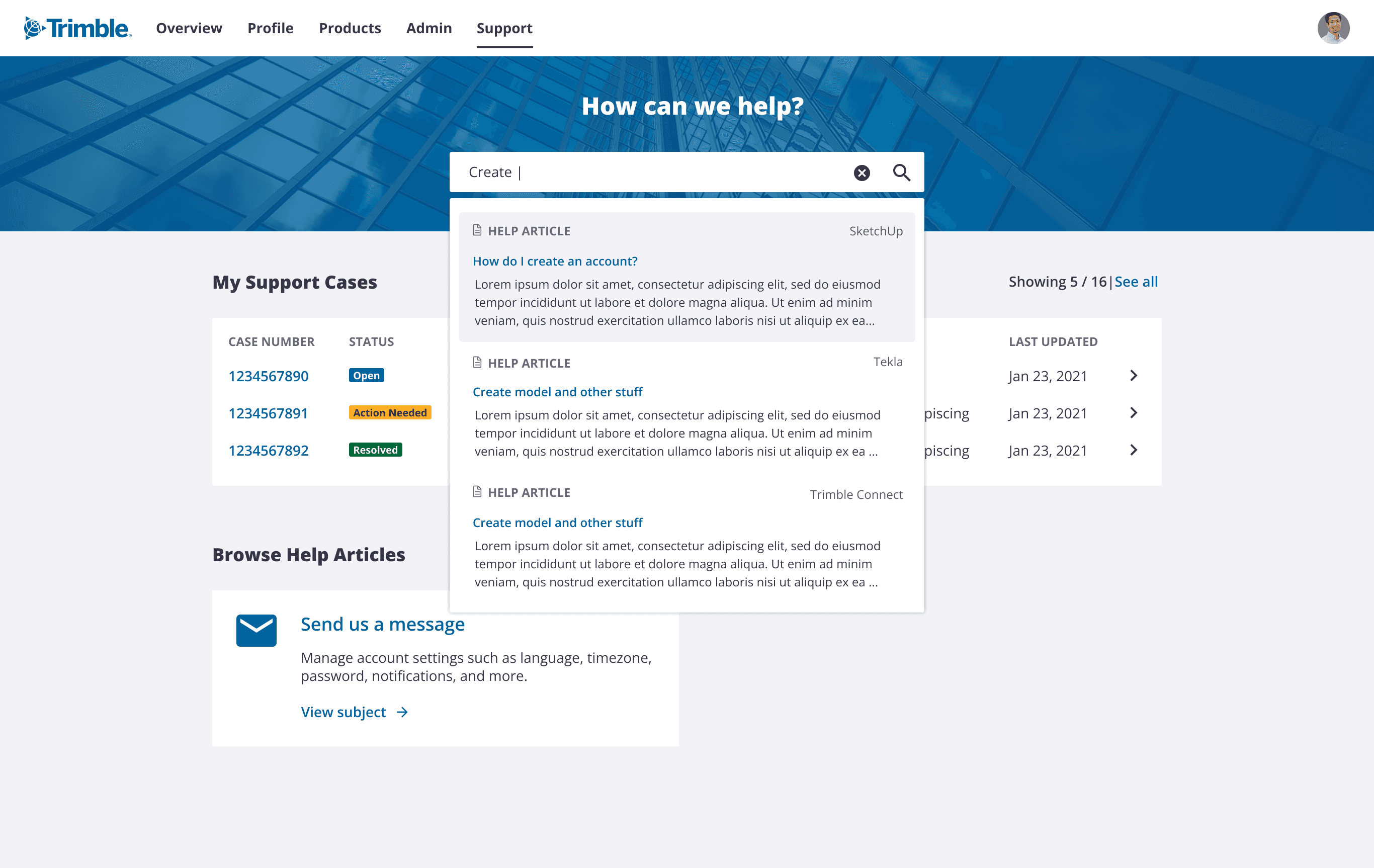
I stayed closely involved in the development of the federated search feature, reviewing progress and ensuring the implementation matched the design specifications. One of Trimble’s subsidiary companies reviewed our work and responded with strong, positive feedback on the improvements we introduced.
As for the concept car project, we were just about to hand off our work to the team responsible for producing the final video when an unexpected round of layoffs impacted our entire team, bringing the project to an abrupt end.
User follows conversations and gets support via the community on Trimble.com.
User has access to extensions for her 3D software.
Scene 3 concepts
Persona: an IT Sec Ops & Support person IT Admin (internal)
The third and final scene introduces an internal IT support persona who stays ahead of the curve by proactively streamlining knowledge sharing on key support topics for employees. Alerts are received on both her phone and desktop, ensuring timely communication and efficient issue resolution.
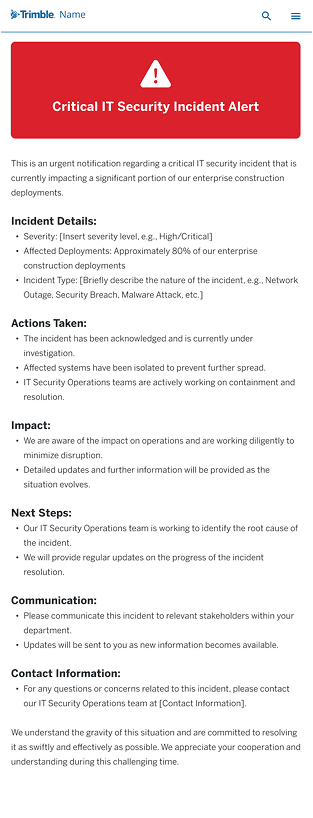
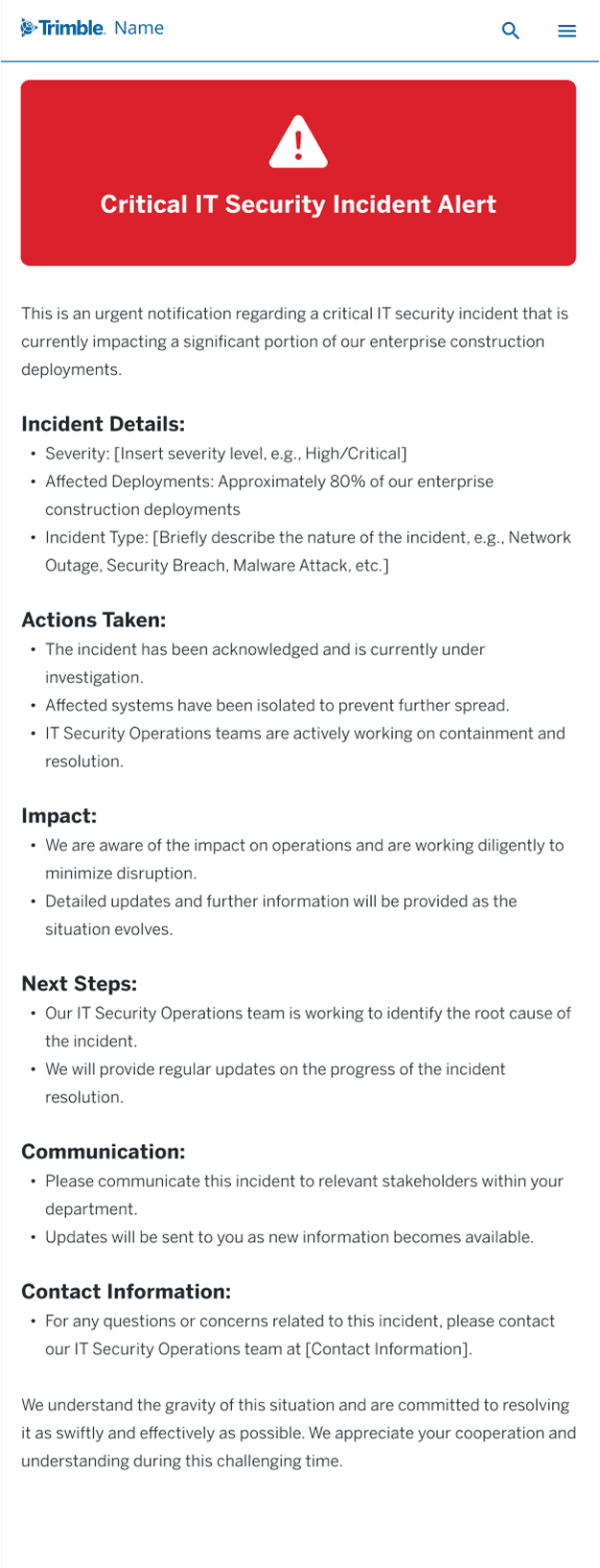
IT customer support receives a critical IT security alert on her phone.
In addition, it appears on her dashboard on her computer. Within moments she kicks off the fix and alerts the customer support teams in Trimble and customers as needed.
Next steps and outcomes
Next Steps
The next steps included wrapping up the concept car and kicking off user interviews focused on support, learning, and community. Insights from those interviews would help shape updated personas and inform the design process. From there, the plan was to create wireframes and high-fidelity comps for the future-state experiences, followed by thorough documentation to support a smooth handoff to developers.
Outcomes
I stayed closely involved in the development of the federated search feature, reviewing progress and ensuring the implementation matched the design specifications. One of Trimble’s subsidiary companies reviewed our work and responded with strong, positive feedback on the improvements we introduced.
As for the concept car project, we were just about to hand off our work to the team responsible for producing the final video when an unexpected round of layoffs impacted our entire team, bringing the project to an abrupt end.
User can access support via his phone. He can see device status and receives alerts when his device needs repairs.
Scene 2 concepts
Persona: an architect using 3D modeling software
The second scene features an architect persona working with 3D software, emphasizing the need for seamlessly integrated, cloud-based tools that support file sharing across multiple applications. The scene also highlights in-app assistance, access to community support, and the ability to add extensions. A key moment in the narrative includes the use of a chatbot directly from her device, enhancing the interactive and supportive experience.
User follows conversations and gets support via the community on Trimble.com.
User has access to extensions for her 3D software.
In addition, it appears on her dashboard on her computer. Within moments she kicks off the fix and alerts the customer support teams in Trimble and customers as needed.
User is able to login to support via his phone to get personalized information. He can also scan a QR code to get help with a specific issue.
Next steps and outcomes
Next Steps
The next steps included wrapping up the concept car and kicking off user interviews focused on support, learning, and community. Insights from those interviews would help shape updated personas and inform the design process. From there, the plan was to create wireframes and high-fidelity comps for the future-state experiences, followed by thorough documentation to support a smooth handoff to developers.
Outcomes
I stayed closely involved in the development of the federated search feature, reviewing progress and ensuring the implementation matched the design specifications. One of Trimble’s subsidiary companies reviewed our work and responded with strong, positive feedback on the improvements we introduced.
As for the concept car project, we were just about to hand off our work to the team responsible for producing the final video when an unexpected round of layoffs impacted our entire team, bringing the project to an abrupt end.
Scene 3 concepts
Persona: an IT Sec Ops & Support person IT Admin (internal)
The third and final scene introduces an internal IT support persona who stays ahead of the curve by proactively streamlining knowledge sharing on key support topics for employees. Alerts are received on both her phone and desktop, ensuring timely communication and efficient issue resolution.
User can access support via his phone. He can see device status and receives alerts when his device needs repairs.
In addition, it appears on her dashboard on her computer. Within moments she kicks off the fix and alerts the customer support teams in Trimble and customers as needed.
Next Steps
The next steps included wrapping up the concept car and kicking off user interviews focused on support, learning, and community. Insights from those interviews would help shape updated personas and inform the design process. From there, the plan was to create wireframes and high-fidelity comps for the future-state experiences, followed by thorough documentation to support a smooth handoff to developers.
Outcomes
I stayed closely involved in the development of the federated search feature, reviewing progress and ensuring the implementation matched the design specifications. One of Trimble’s subsidiary companies reviewed our work and responded with strong, positive feedback on the improvements we introduced.
As for the concept car project, we were just about to hand off our work to the team responsible for producing the final video when an unexpected round of layoffs impacted our entire team, bringing the project to an abrupt end.
User is able to login to support via his phone to get personalized information. He can also scan a QR code to get help with a specific issue.
User can access support via his phone. He can see device status and receives alerts when his device needs repairs.
Scene 3 concepts
Persona: an IT Sec Ops & Support person IT Admin (internal)
The third and final scene introduces an internal IT support persona who stays ahead of the curve by proactively streamlining knowledge sharing on key support topics for employees. Alerts are received on both her phone and desktop, ensuring timely communication and efficient issue resolution.
In addition, it appears on her dashboard on her computer. Within moments she kicks off the fix and alerts the customer support teams in Trimble and customers as needed.
Next Steps
The next steps included wrapping up the concept car and kicking off user interviews focused on support, learning, and community. Insights from those interviews would help shape updated personas and inform the design process. From there, the plan was to create wireframes and high-fidelity comps for the future-state experiences, followed by thorough documentation to support a smooth handoff to developers.
Outcomes
I stayed closely involved in the development of the federated search feature, reviewing progress and ensuring the implementation matched the design specifications. One of Trimble’s subsidiary companies reviewed our work and responded with strong, positive feedback on the improvements we introduced.
As for the concept car project, we were just about to hand off our work to the team responsible for producing the final video when an unexpected round of layoffs impacted our entire team, bringing the project to an abrupt end.
Scene 2 concepts
Persona: an architect using 3D modeling software
The second scene features an architect persona working with 3D software, emphasizing the need for seamlessly integrated, cloud-based tools that support file sharing across multiple applications. The scene also highlights in-app assistance, access to community support, and the ability to add extensions. A key moment in the narrative includes the use of a chatbot directly from her device, enhancing the interactive and supportive experience.
User follows conversations and gets support via the community on Trimble.com.
Scene 2 concepts
Persona: an architect using 3D modeling software
The second scene features an architect persona working with 3D software, emphasizing the need for seamlessly integrated, cloud-based tools that support file sharing across multiple applications. The scene also highlights in-app assistance, access to community support, and the ability to add extensions. A key moment in the narrative includes the use of a chatbot directly from her device, enhancing the interactive and supportive experience.
User has access to extensions for her 3D software.
User follows conversations and gets support via the community on Trimble.com.
User has access to extensions for her 3D software.
IT customer support receives a critical IT security alert on her phone.